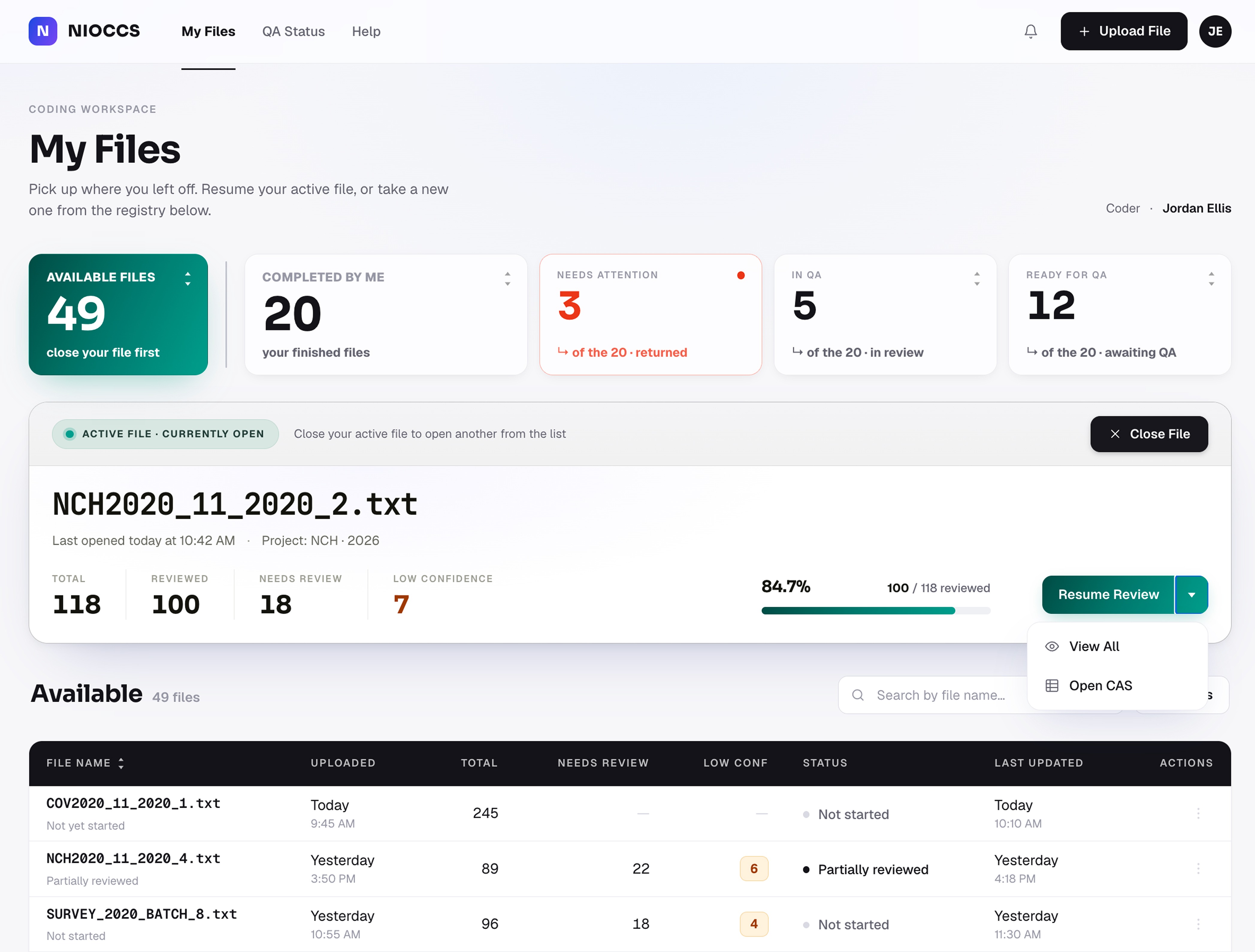
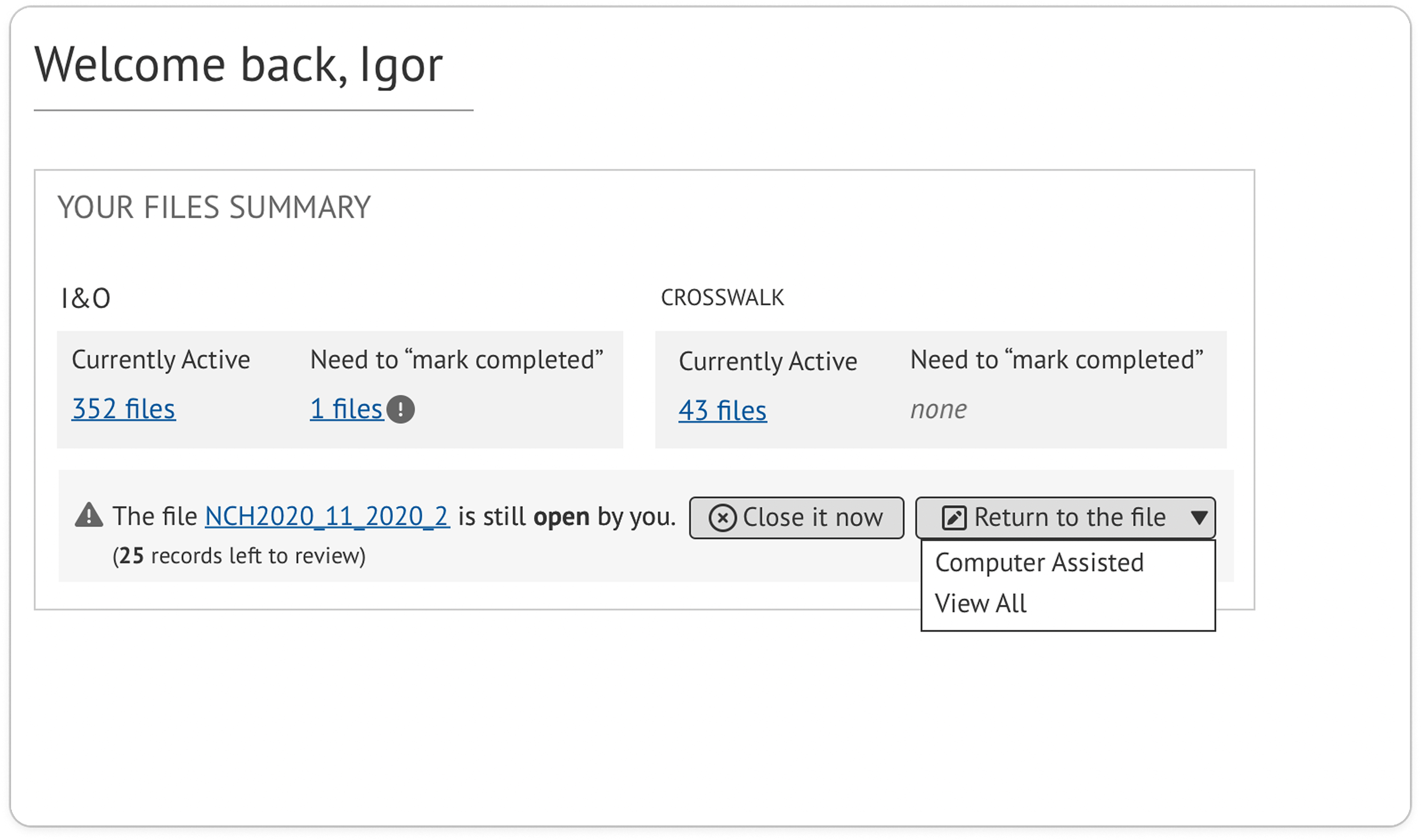
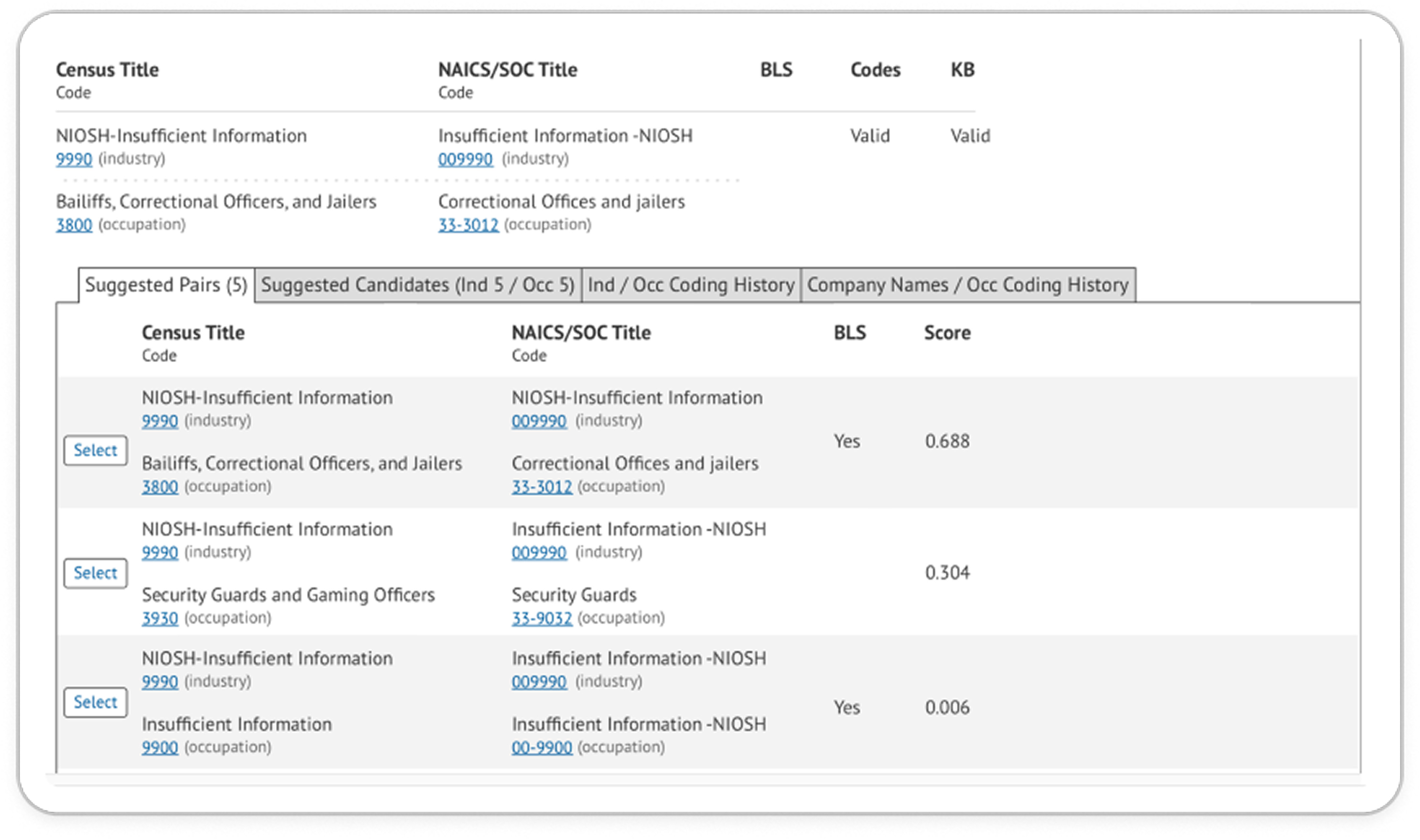
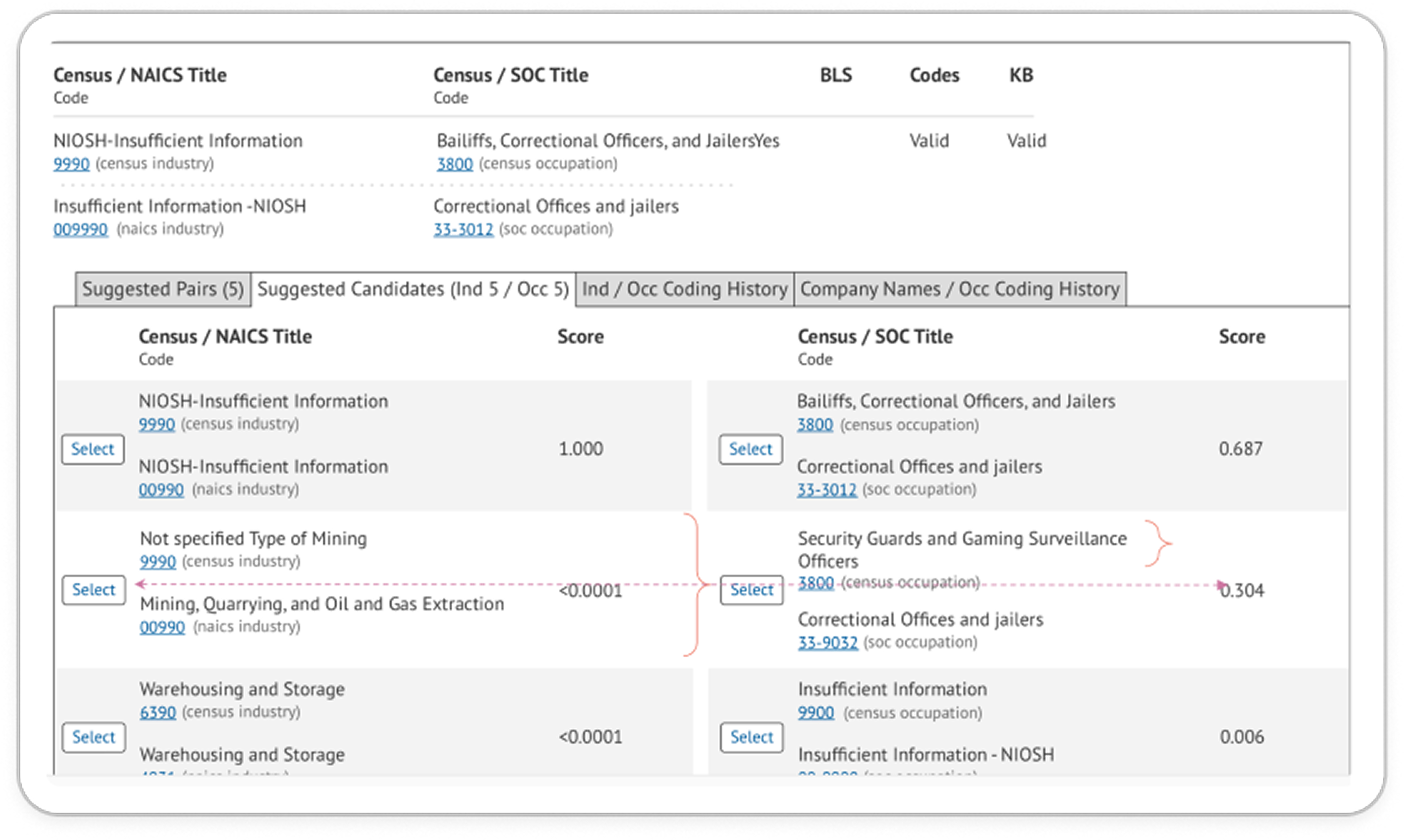
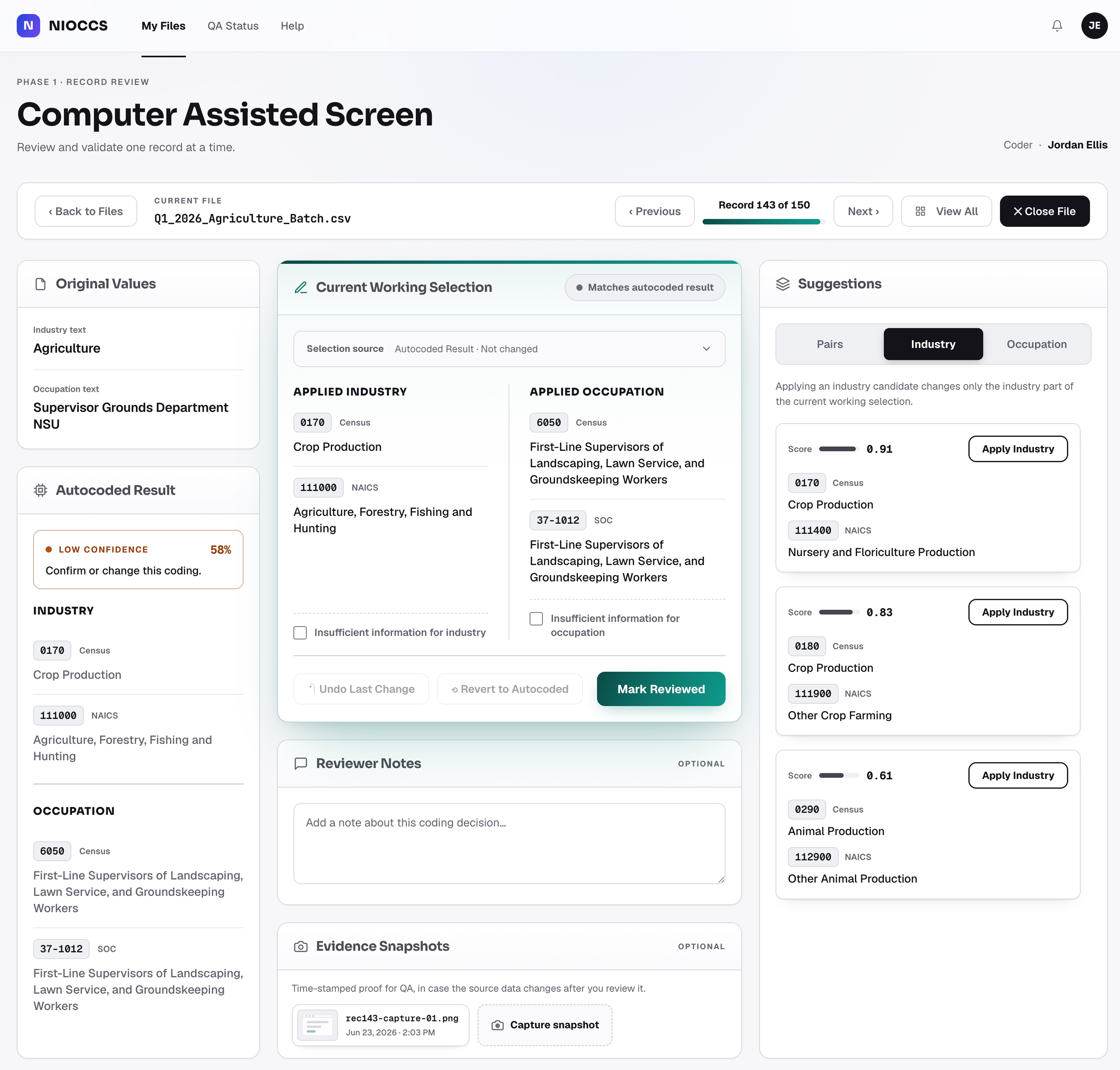
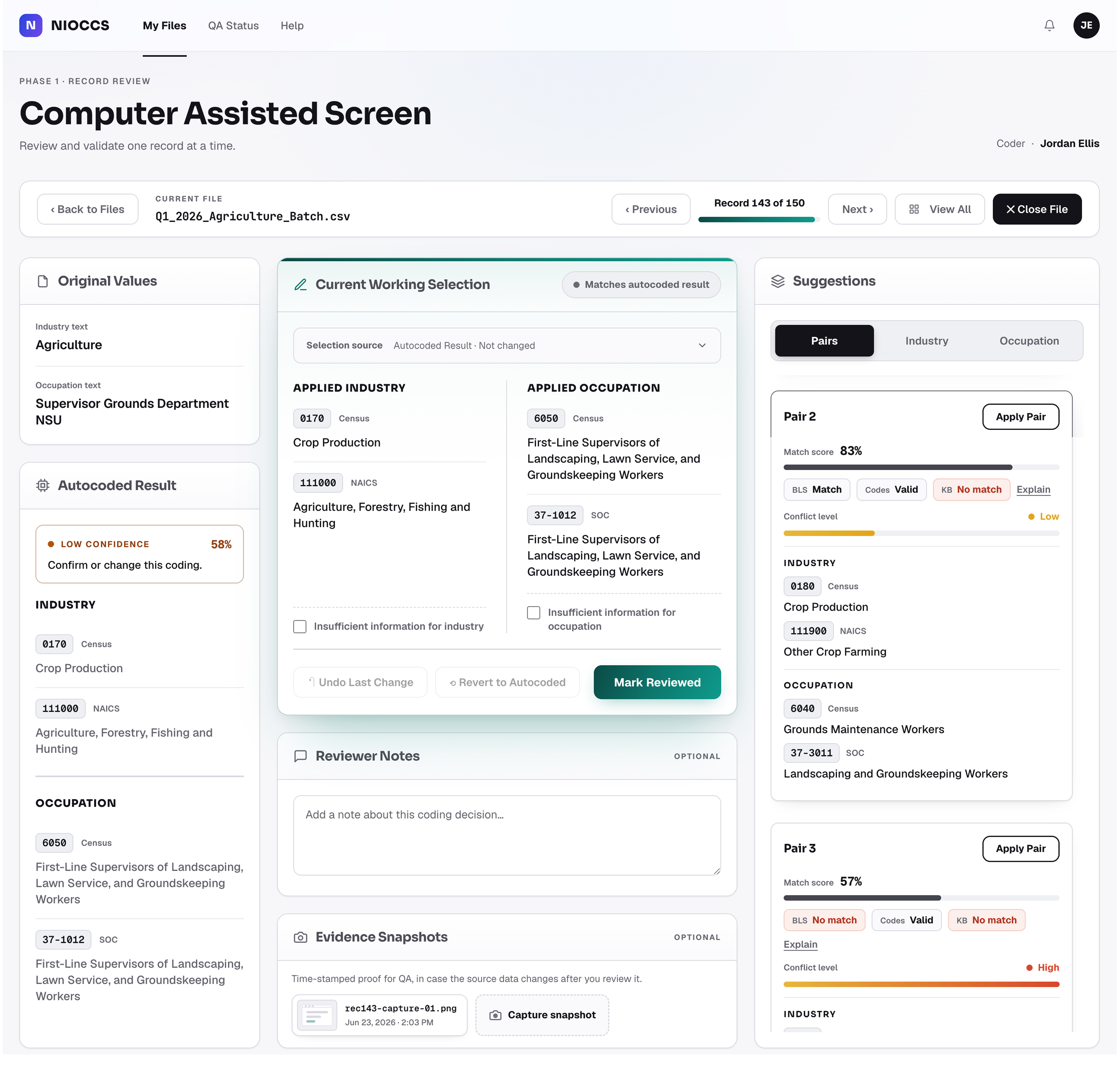
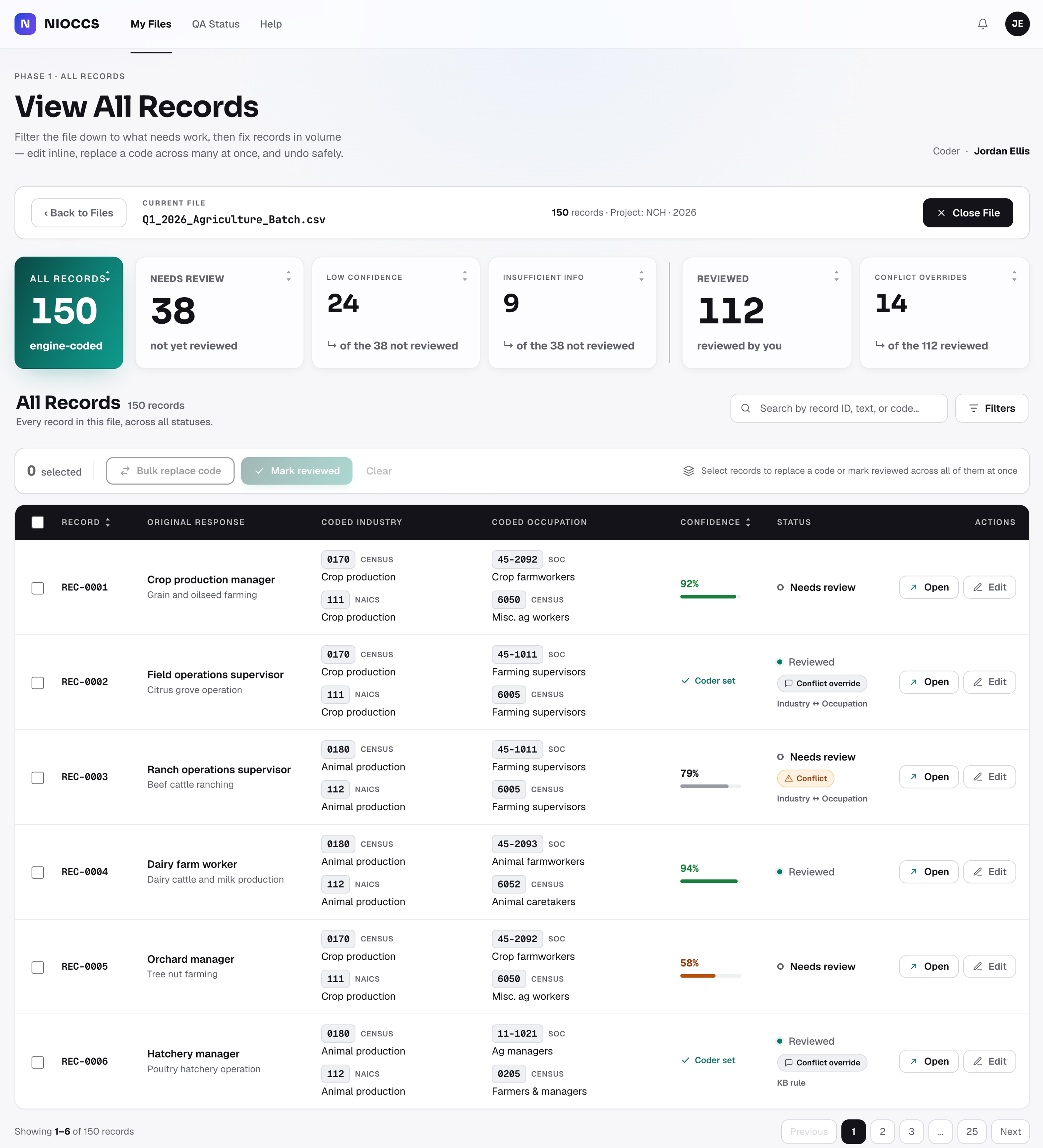
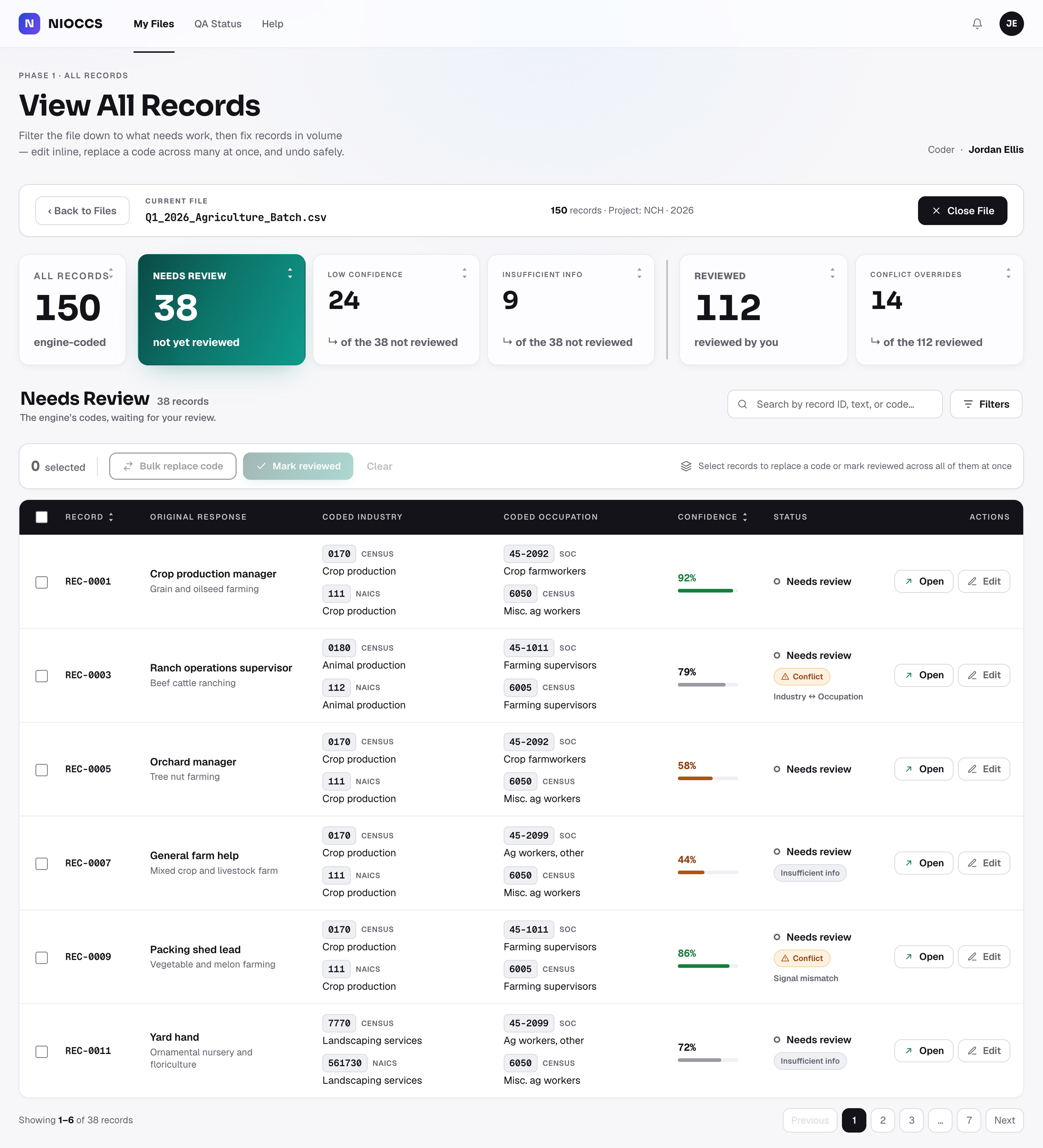
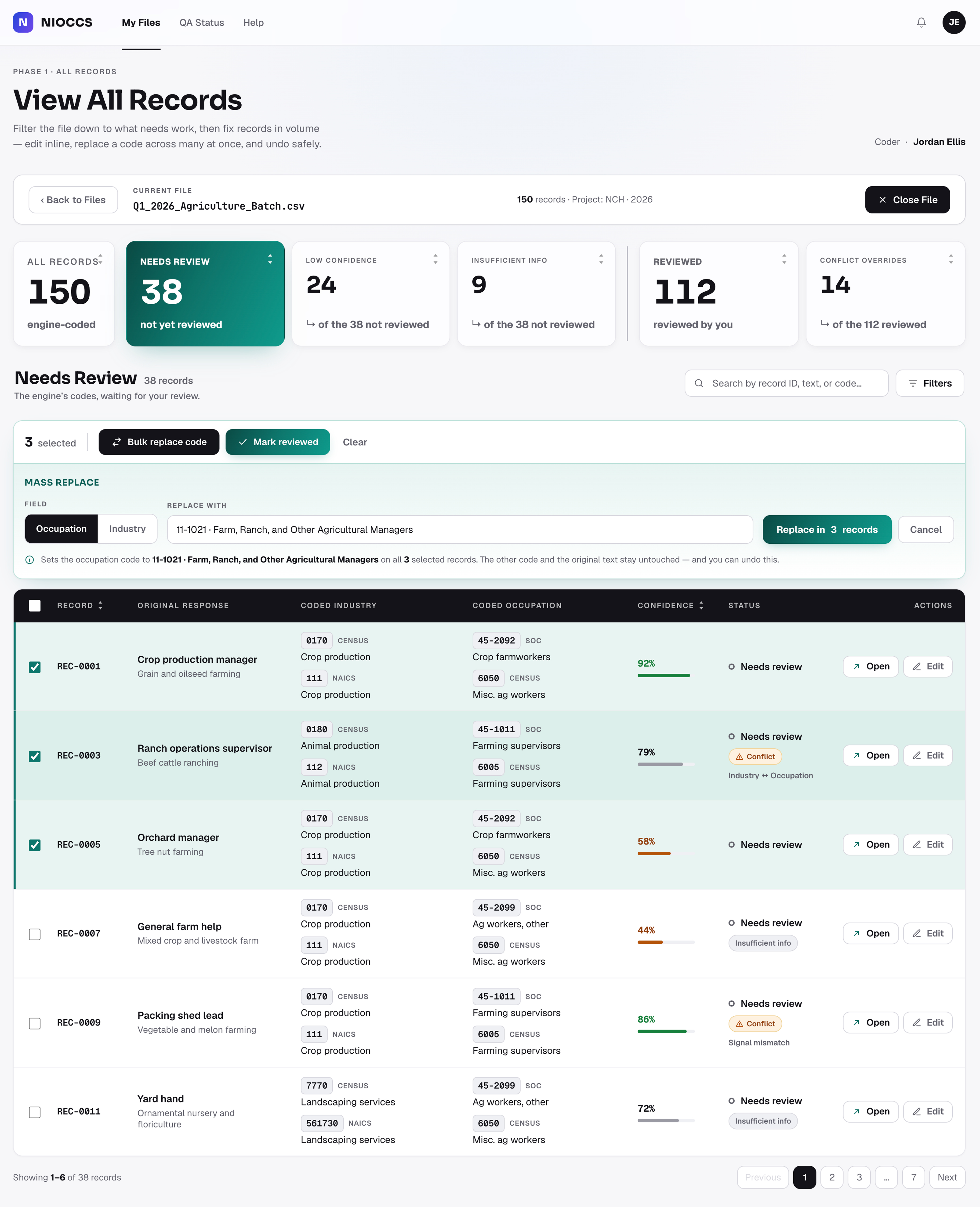
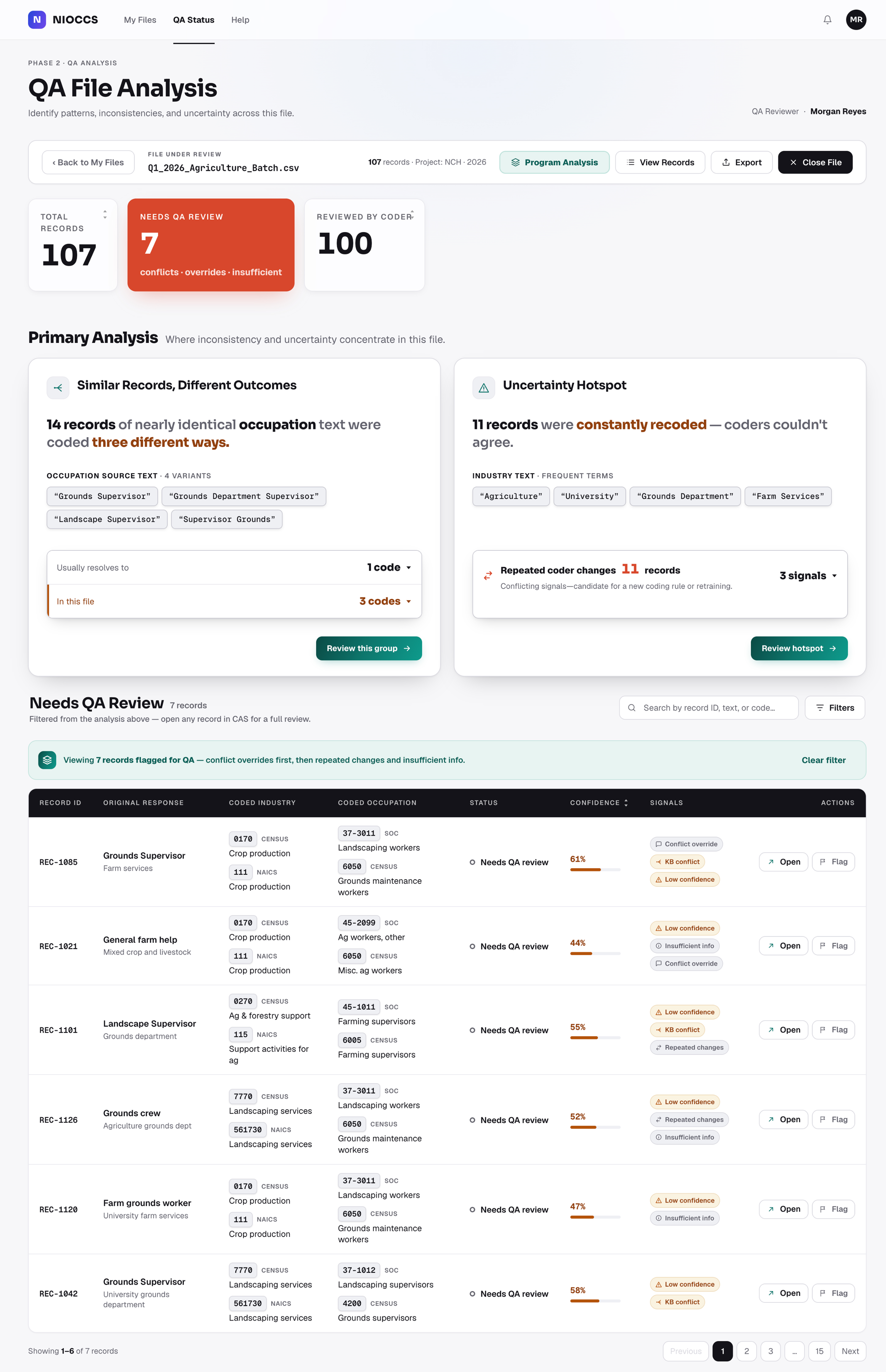
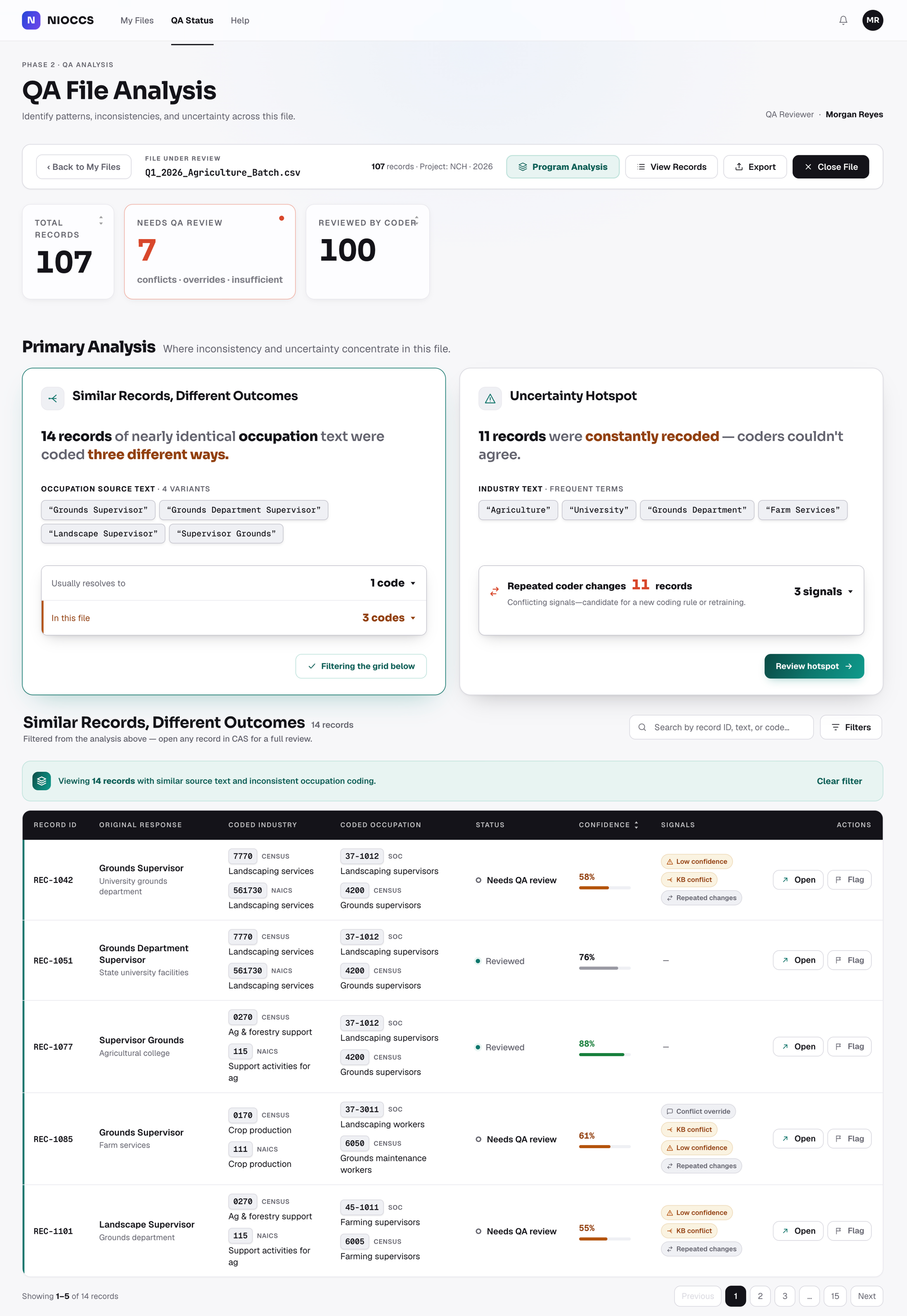
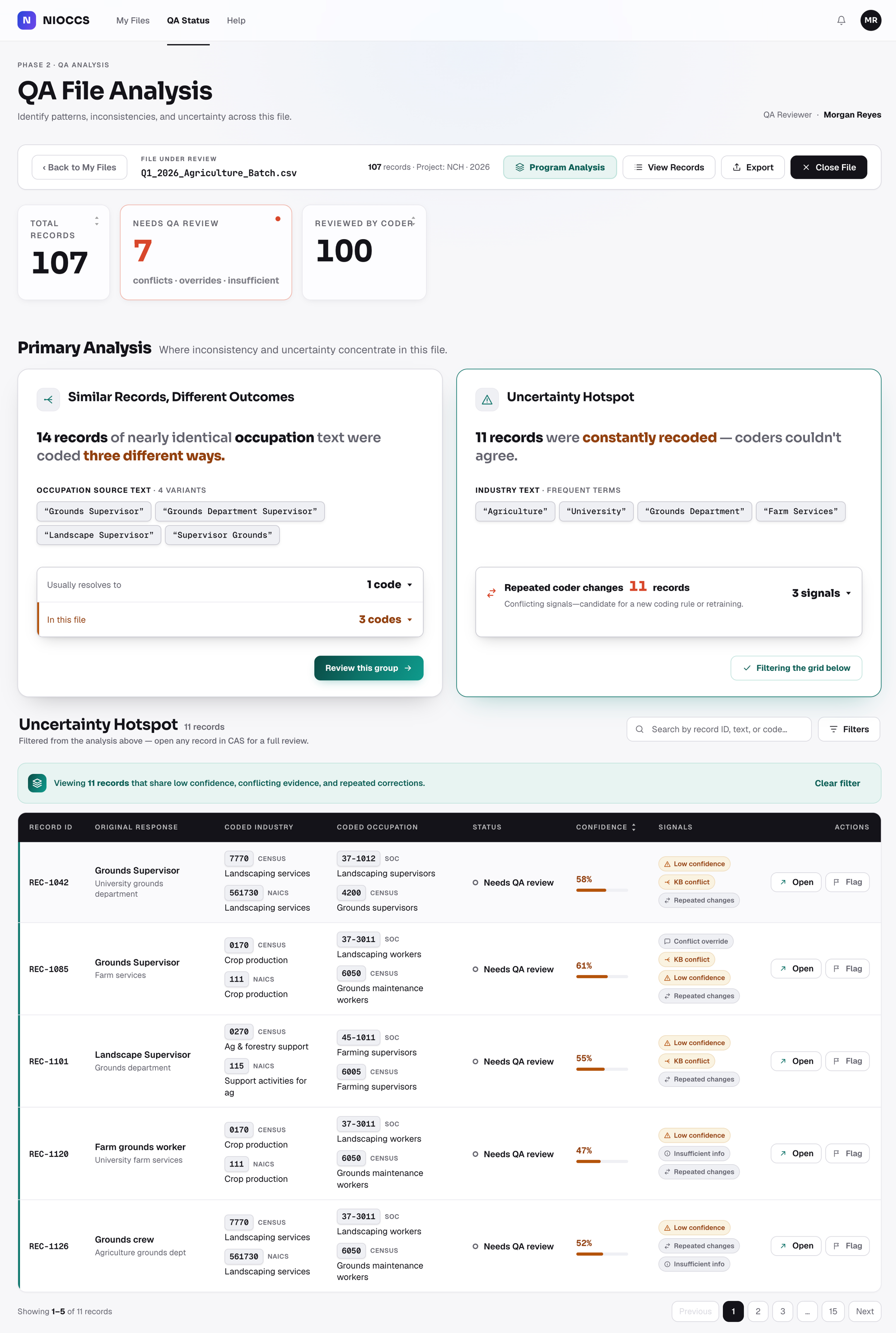
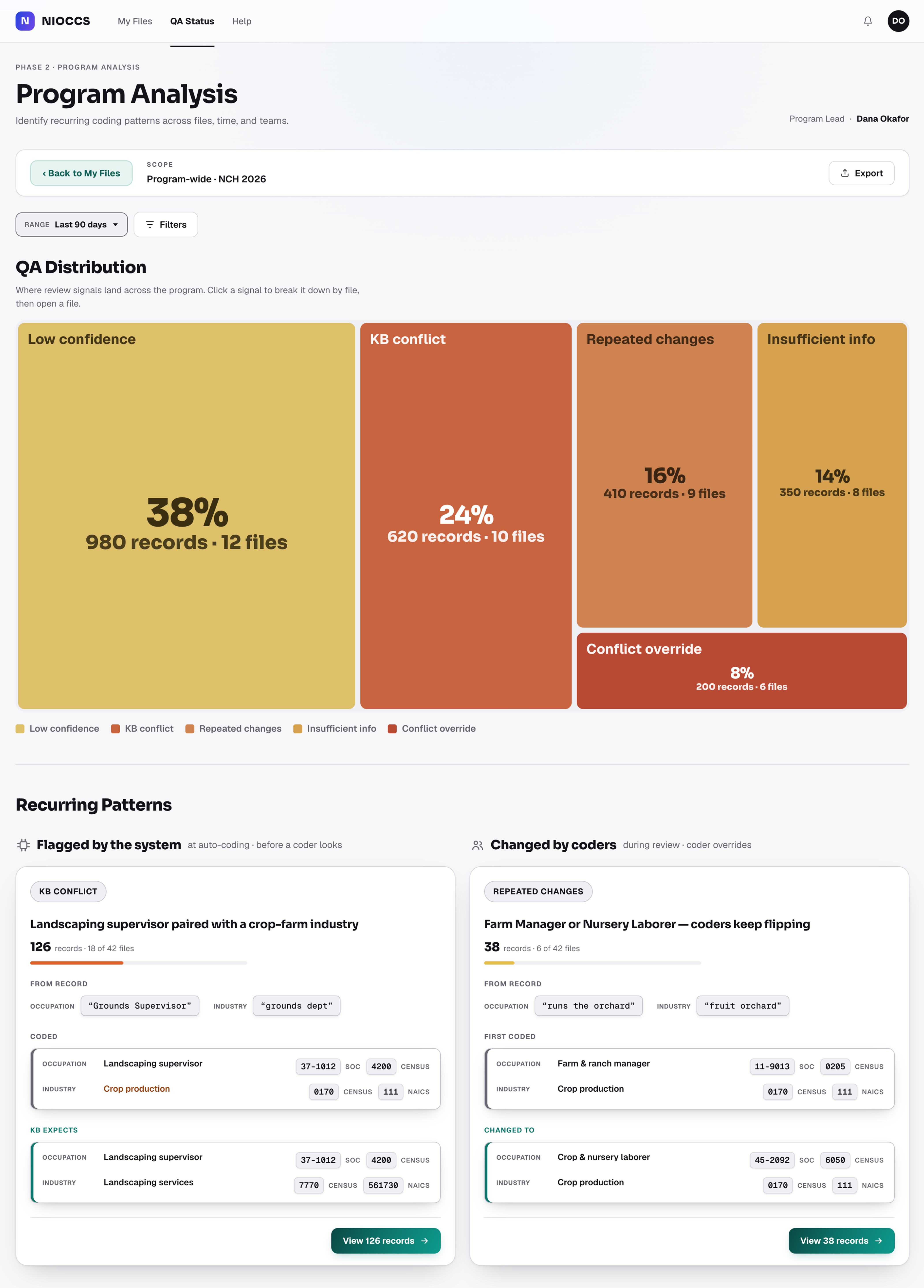
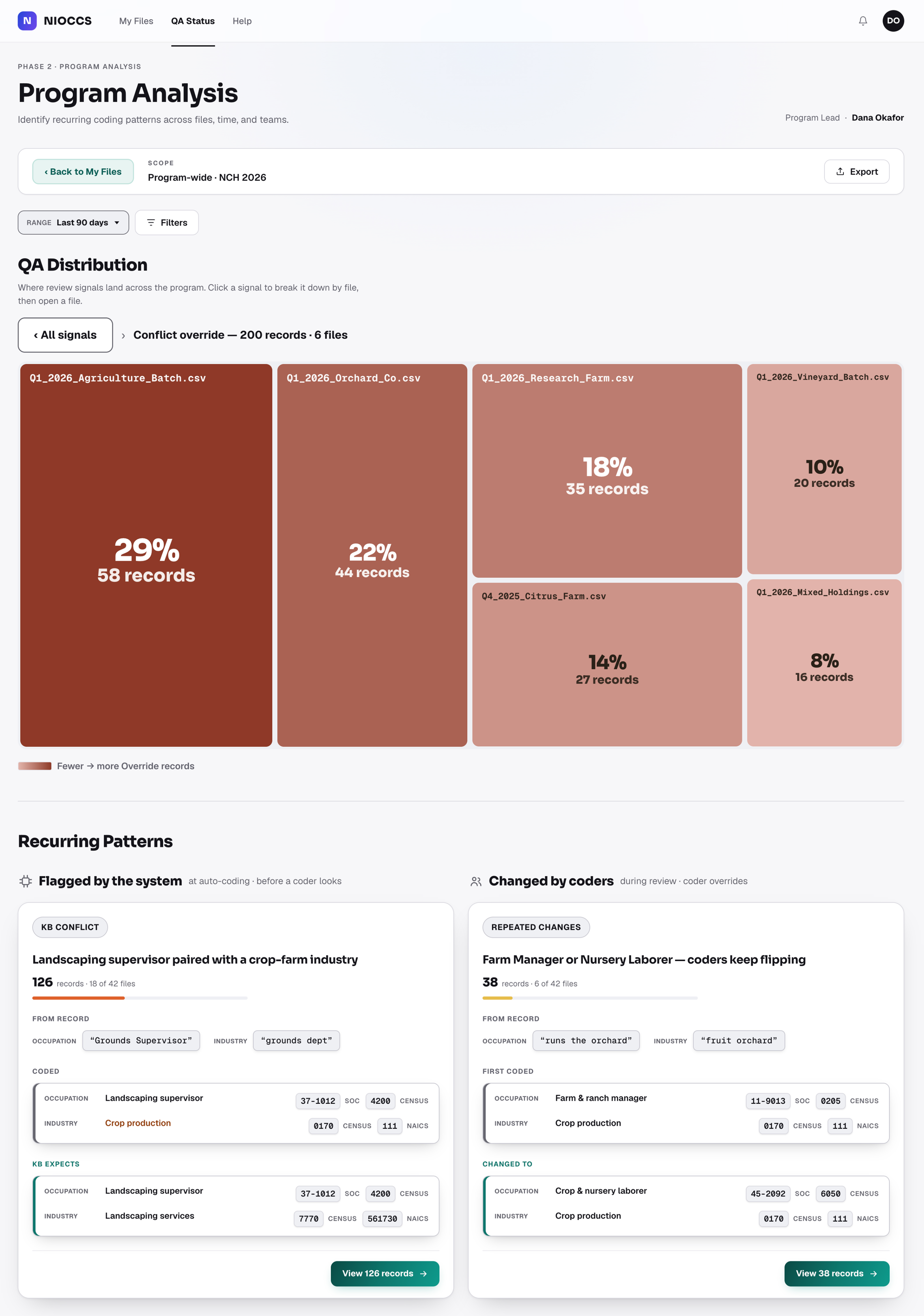
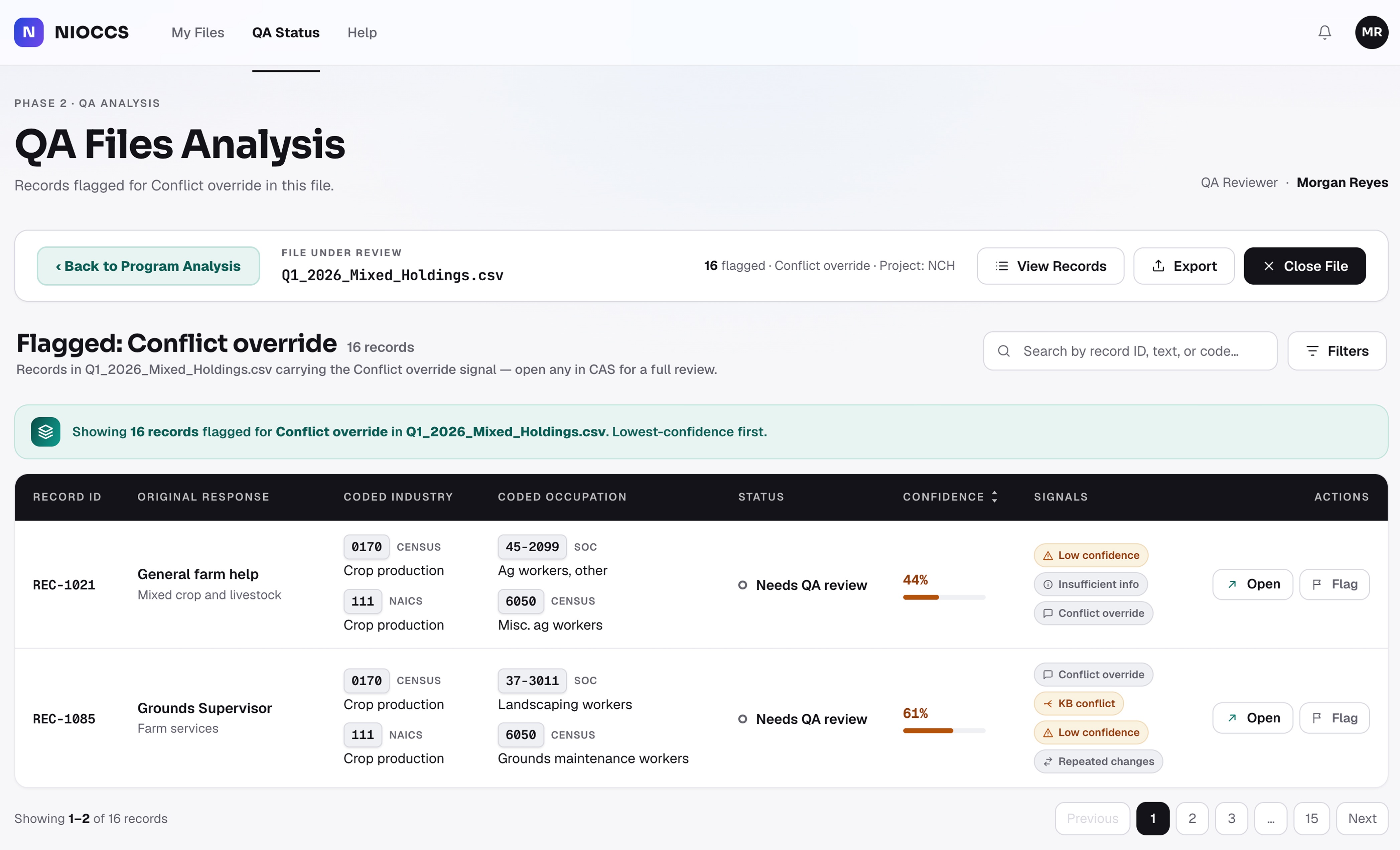
A hero-scale visual establishing the redesigned coding-and-review system.
NIOCCS
NIOSH Industry and Occupation Computerized Coding System
The Purpose
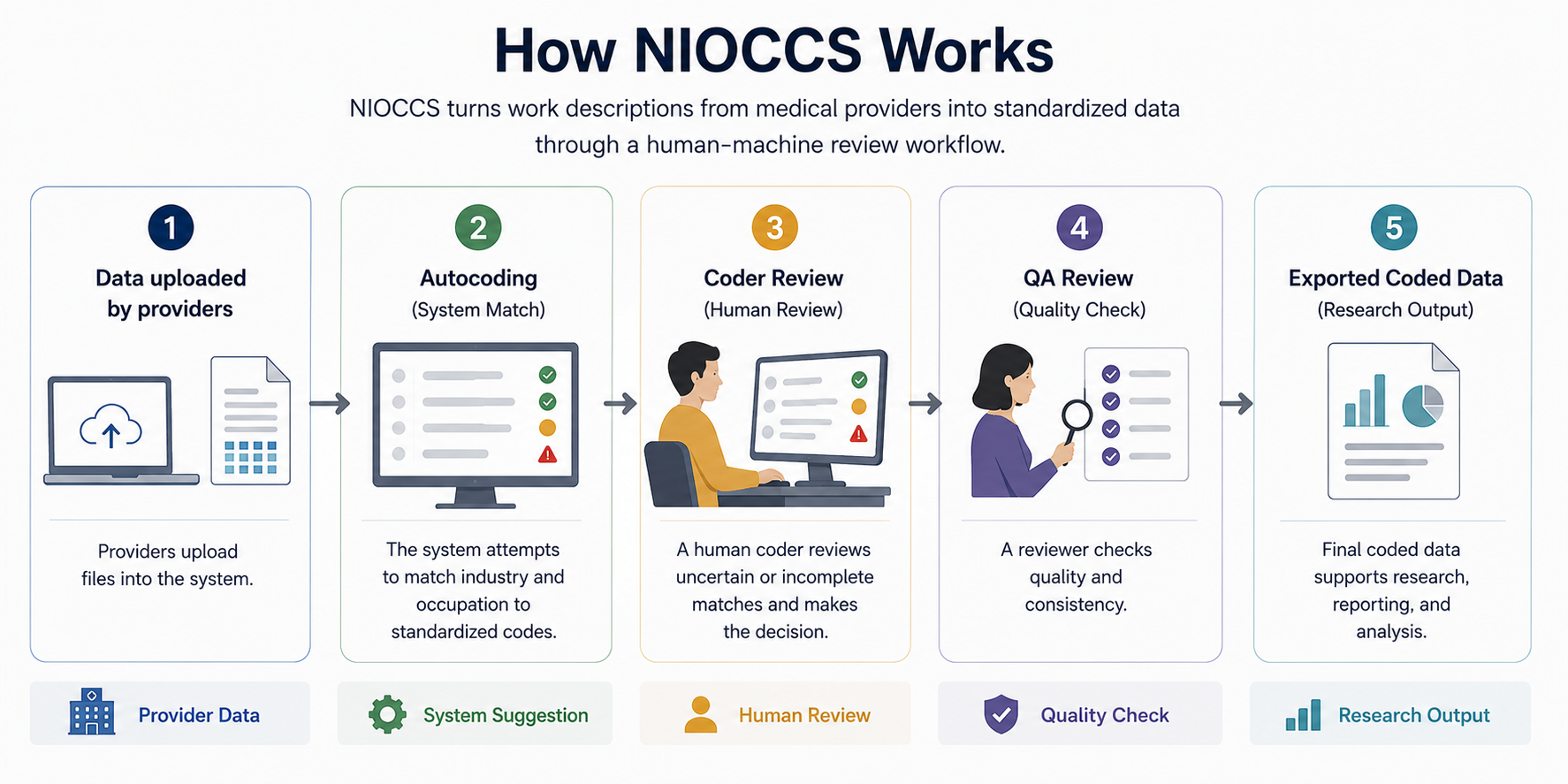
Industry and occupation descriptions are often collected through surveys and medical
records. NIOCCS helps convert those free-text responses into standardized numeric codes
researchers can analyze. The workflow includes file upload, autocoding, coder review, QA
review, and export of finalized coded data.
The Goal
The goal was to reduce manual coding without removing human judgment. NIOCCS used machine learning to learn from
existing data and expert corrections, turning human review into feedback for future coding decisions.
Issues
NIOCCS had grown through new functions and upgrades, but the interface still reflected backend logic more than
user workflows.
Coders, QA reviewers, and administrators needed different workflows - and even within coding, beginners and
experts needed different levels of guidance, context, and control.
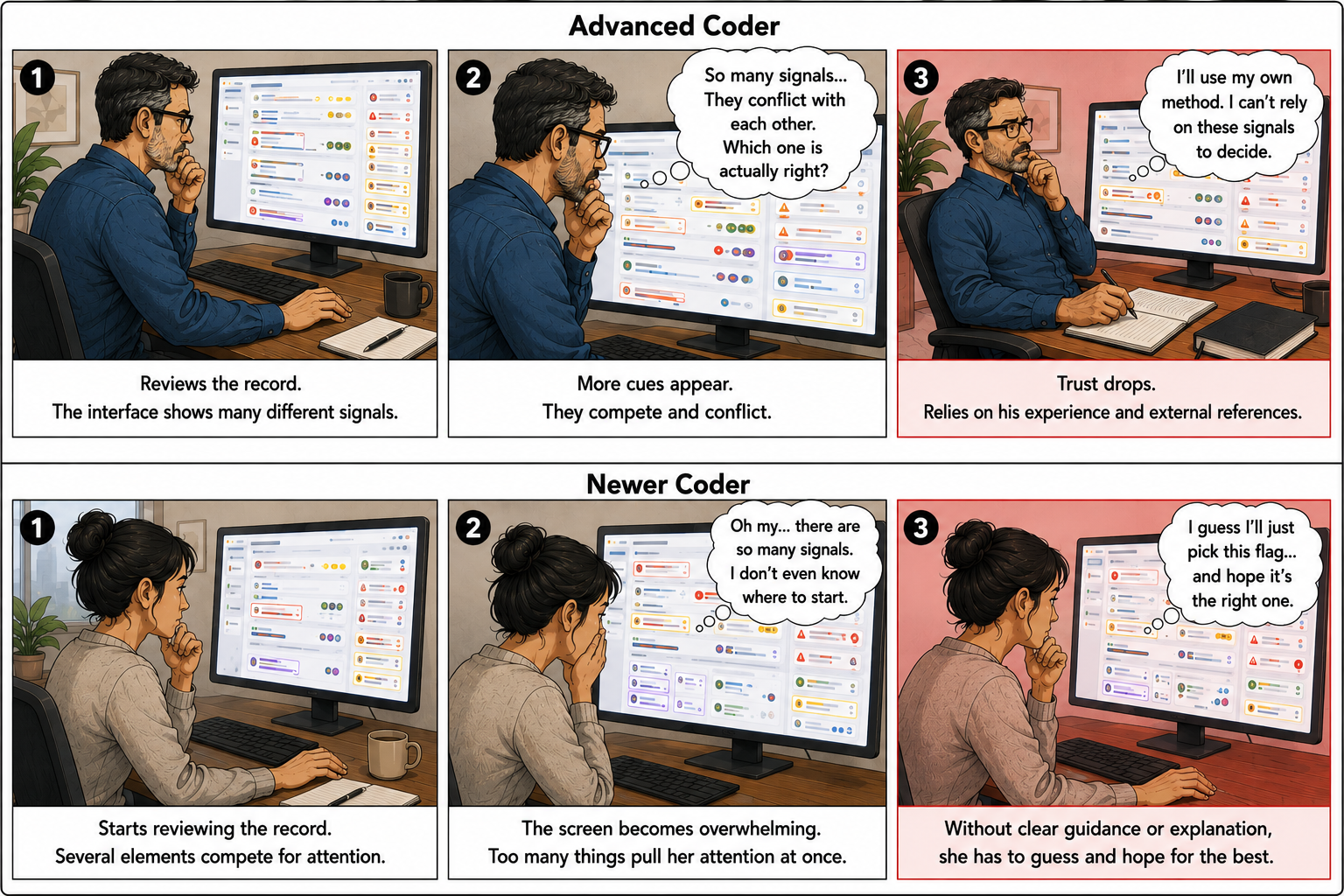
NIOCCS was not simply hard to use. It exposed fragmented workflows, unclear states, and competing signals
without enough decision support.
Placeholder
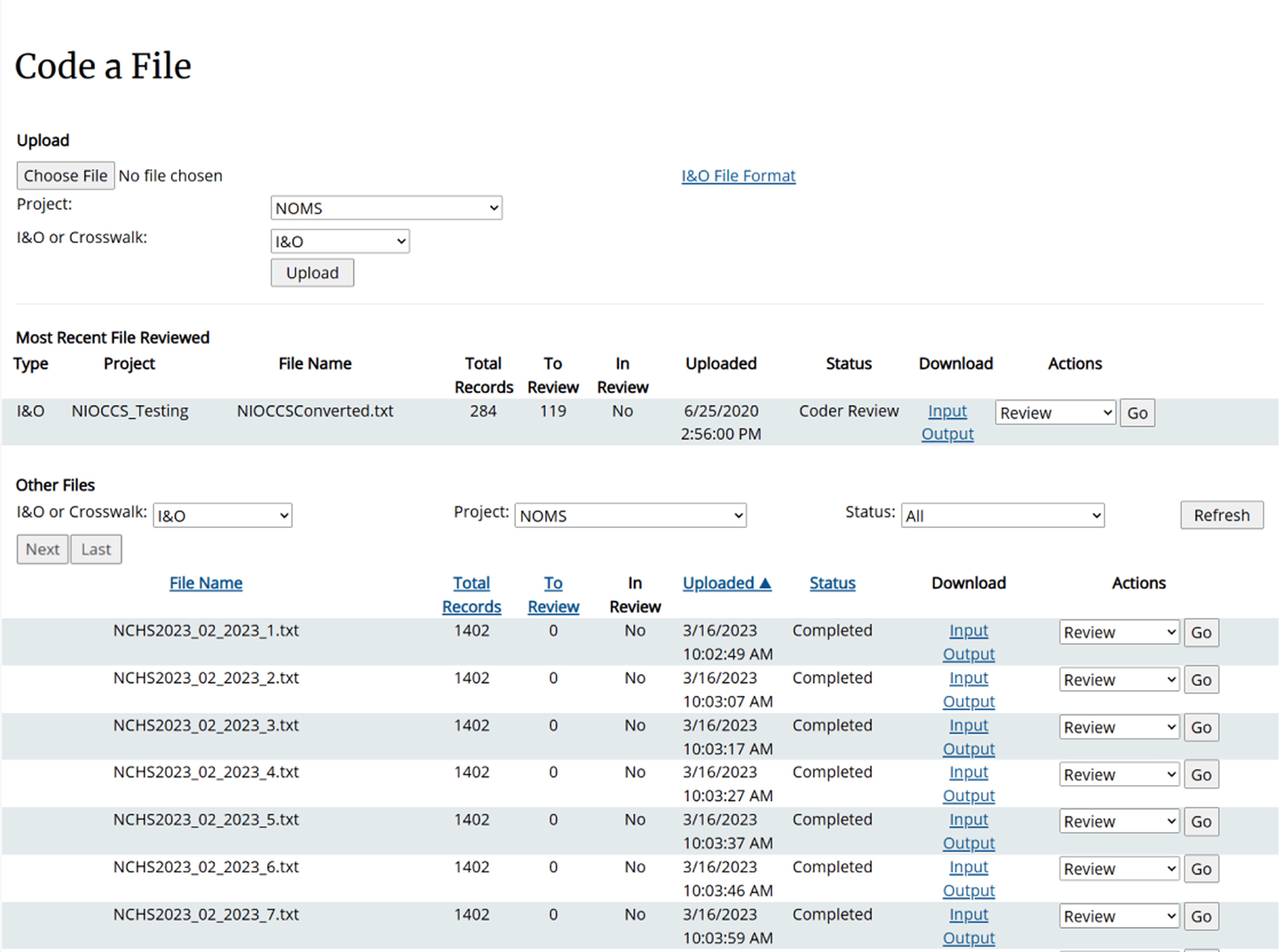
Original Upload Flow
No visible processing state
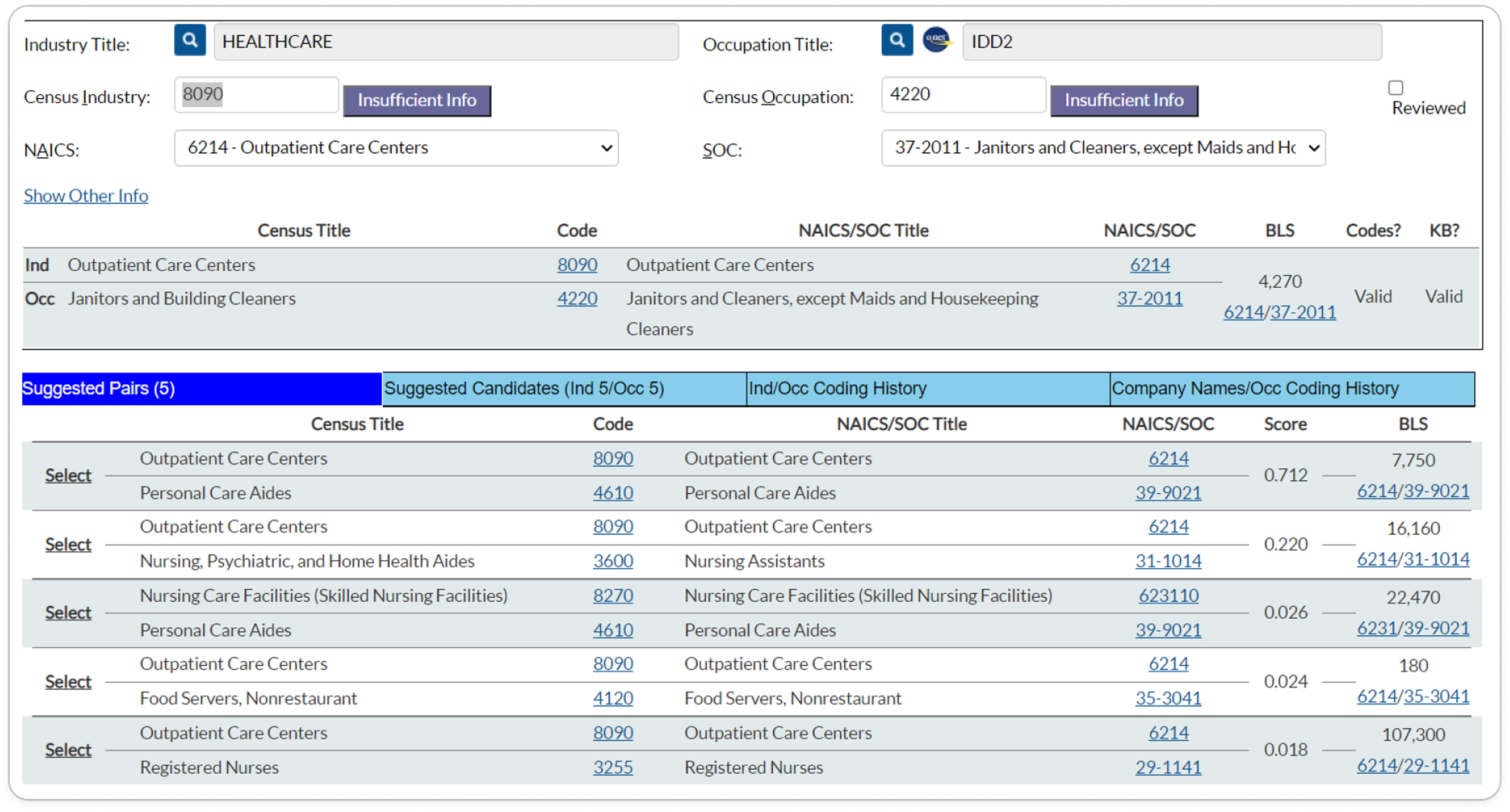
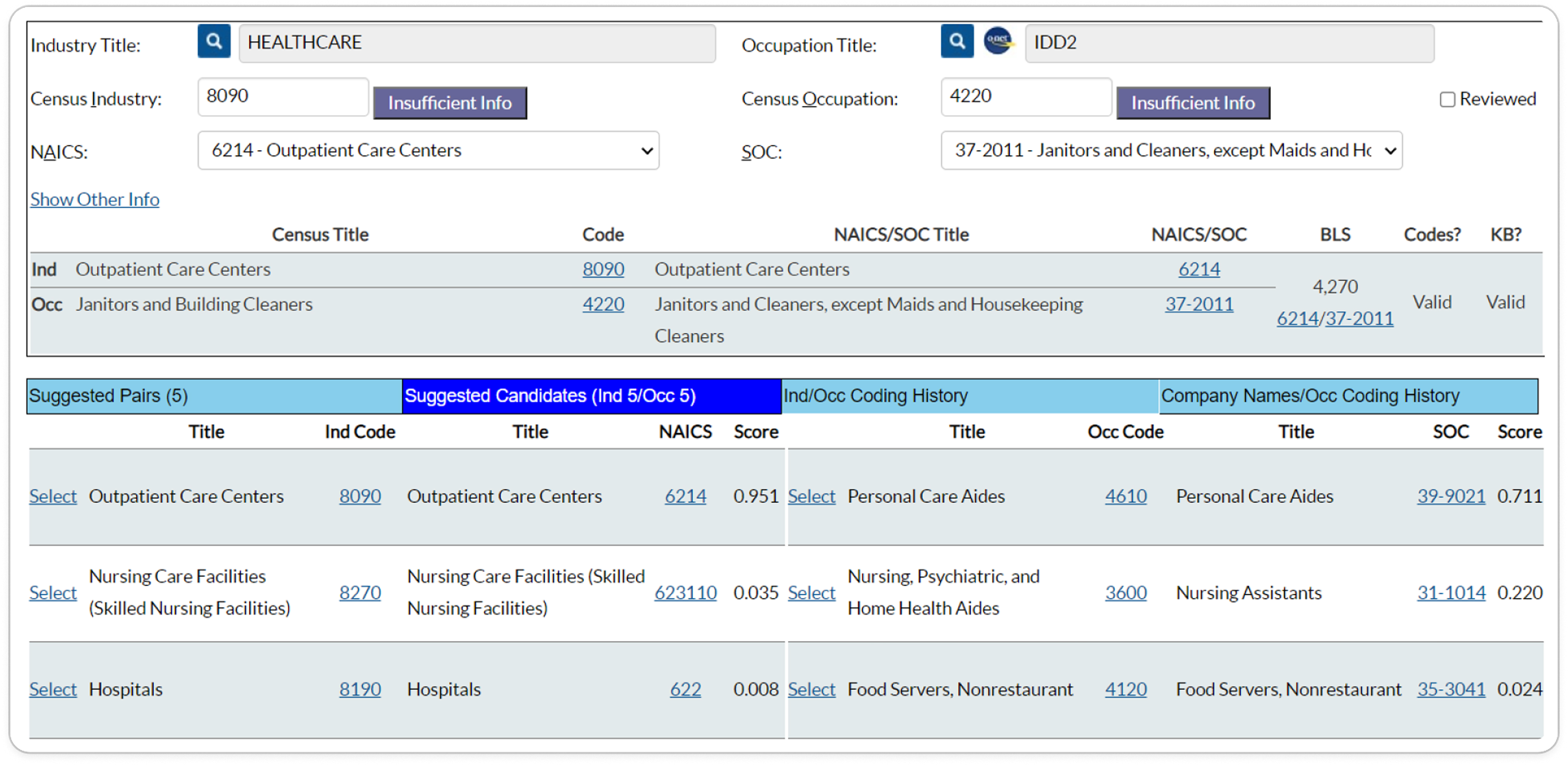
Placeholder
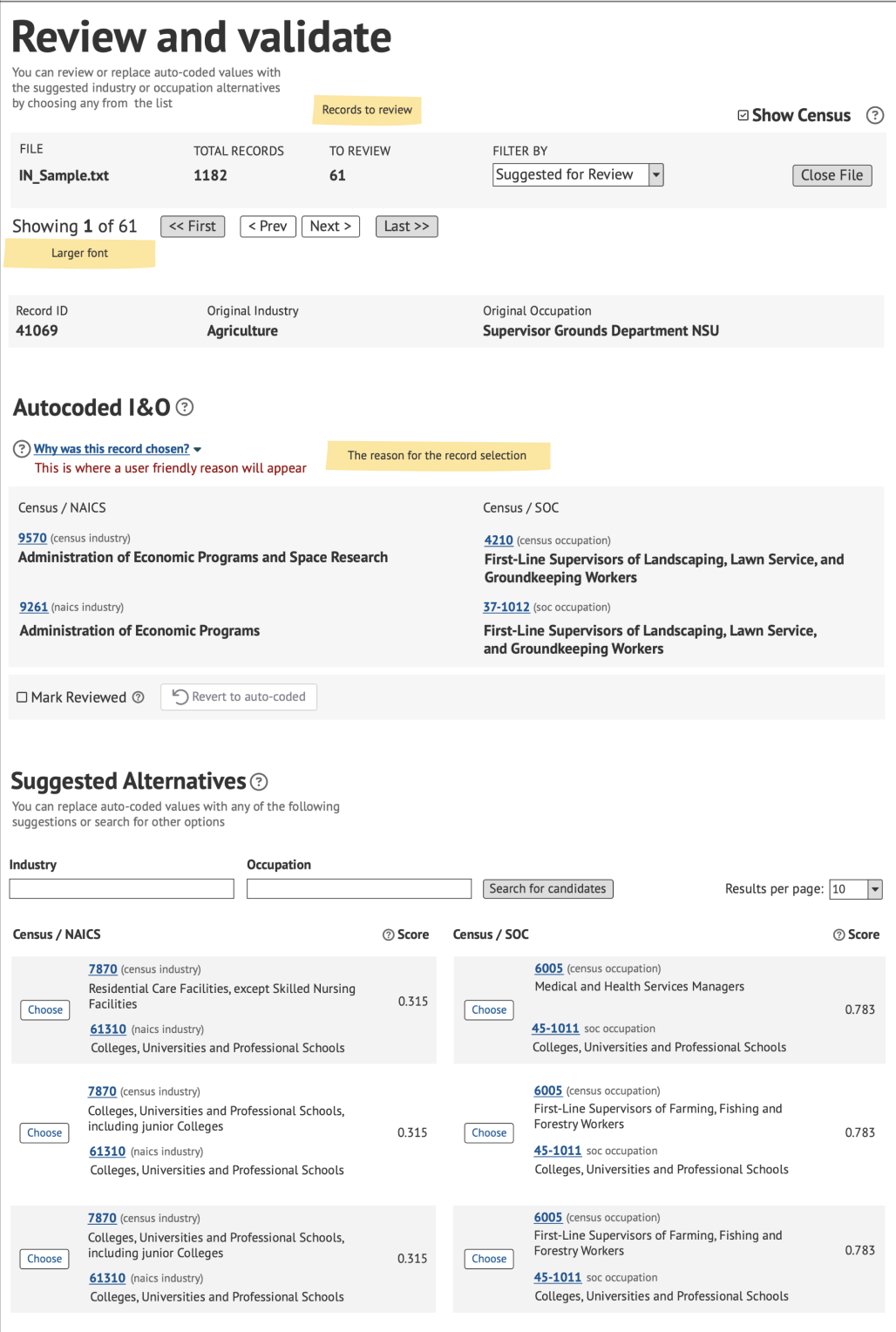
Original CAS Screen
Too many competing decision points
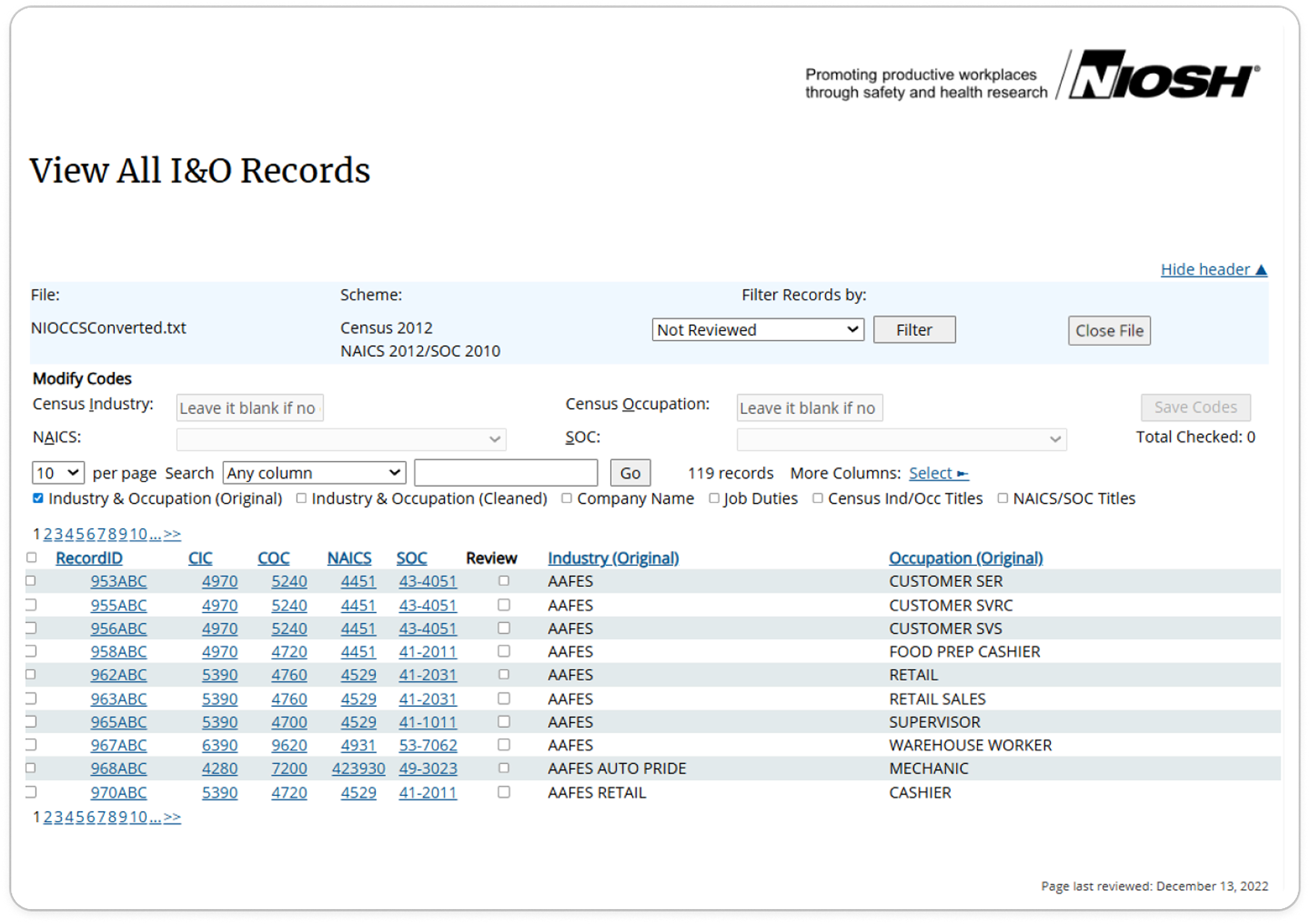
Placeholder
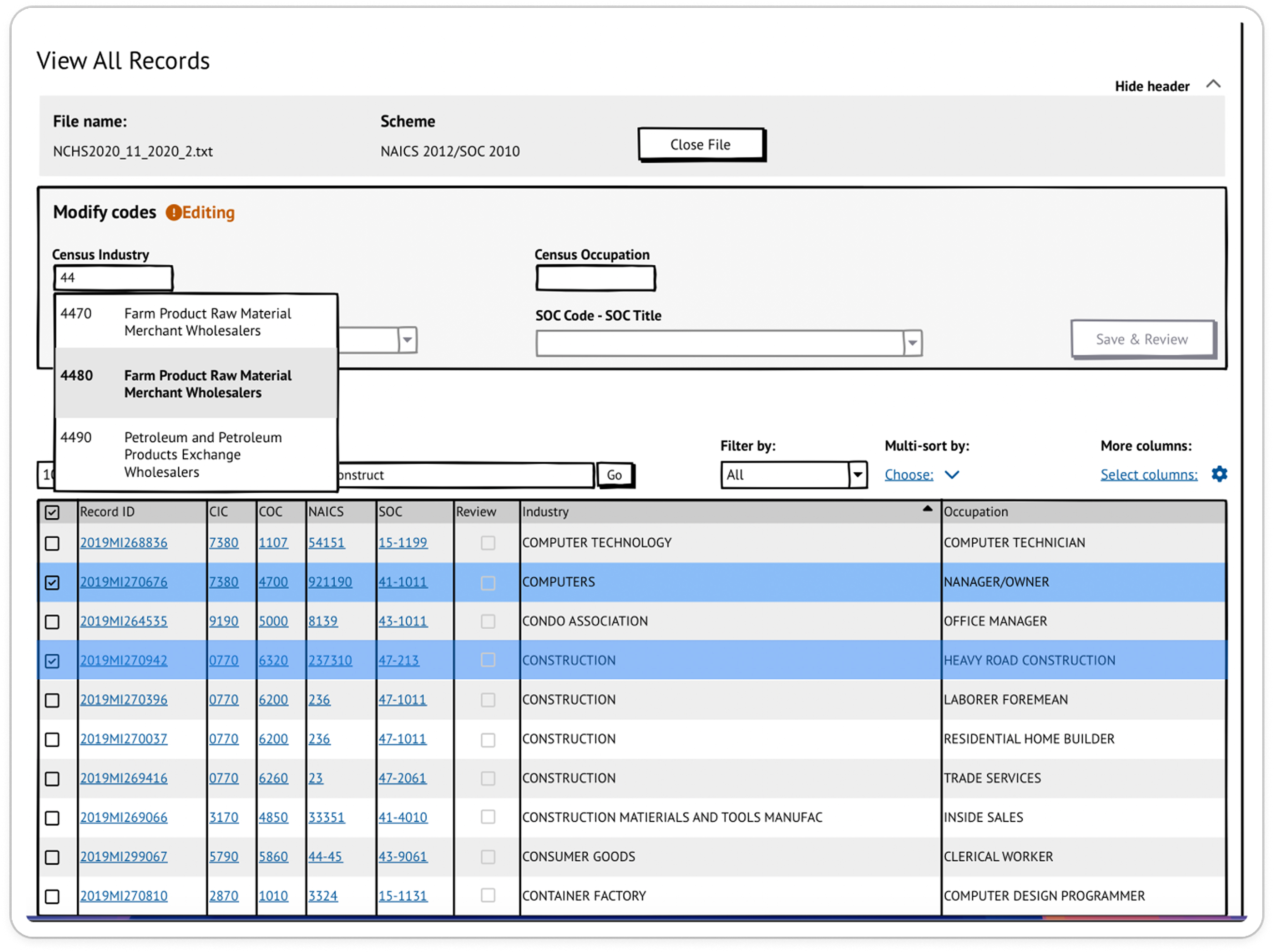
Original View All Screen
Passive table with weak prioritization
Main Failures
Review Ambiguity
Users lacked a clear way to know what needed attention first.
Conflicting Signals
The system showed too many cues without explaining what mattered or
what to trust.
Weak Recovery
Errors, edits, and bulk actions lacked safe rollback, forcing users
into workarounds.
Designed for the engine, not the reviewer.
The interface exposed too many competing signals at once, but did not explain which ones mattered, which ones
conflicted, or how much trust users should place in them.
Reviewers were not just reading information. They were making judgment calls under uncertainty while the system
kept adding more unprioritized cues to interpret.
The Insight
What the Research Revealed
User interviews and workflow analysis showed that the problem was deeper than interface clutter. Users were
compensating for missing product logic with memory, personal judgment, and workarounds.
The issue was not lack of data - it was lack of prioritization, explanation, and decision support.
The system showed users signals. It did not help them make decisions.
My Role
Leading Redesign Under Constraints
I led UX and product thinking for the redesign effort, identifying workflow failures, trust issues, and
usability breakdowns across the system while working within significant technical and organizational
constraints.
Product Strategy Support
Helped focus the redesign on the workflow problems that mattered most.
Product Experience Architect
Defined how the system should support real user decisions.
Product Roadmap Support
Helped shape the Phase 2 roadmap around decision support, uncertainty, and workflow improvement.
Cross-Functional Facilitator
Helped align stakeholders and the team around feasible improvements.
Design Lead
Led UX/UI design across file management, review, and coding screens.
UX Researcher
Led user interviews and usability testing to shape the redesign.
The Team
Me UX Designer
Project Manager Strategy & Product
Developer Engineering
Challenges & Constraints
Technical Constraints
The system had existing logic and workflows that could not be fully replaced
immediately.
Backend-First Mindset
Decision-making often centered on implementation logic rather than user
workflows.
Build-First Culture
The system evolved through implementation decisions more than user or product
thinking.
The Direction
The Redesign Strategy
The redesign separated the work into two levels: stabilize the existing workflow first, then define a future
model for decision support.
Phase 1
Stabilize the Workflow
Make System Status Visible
Show users what is processing, finished, blocked, or ready for action.
Make Work Recoverable
Turn errors, edits, and bulk actions into safe correction paths.
Reduce Repetitive Effort
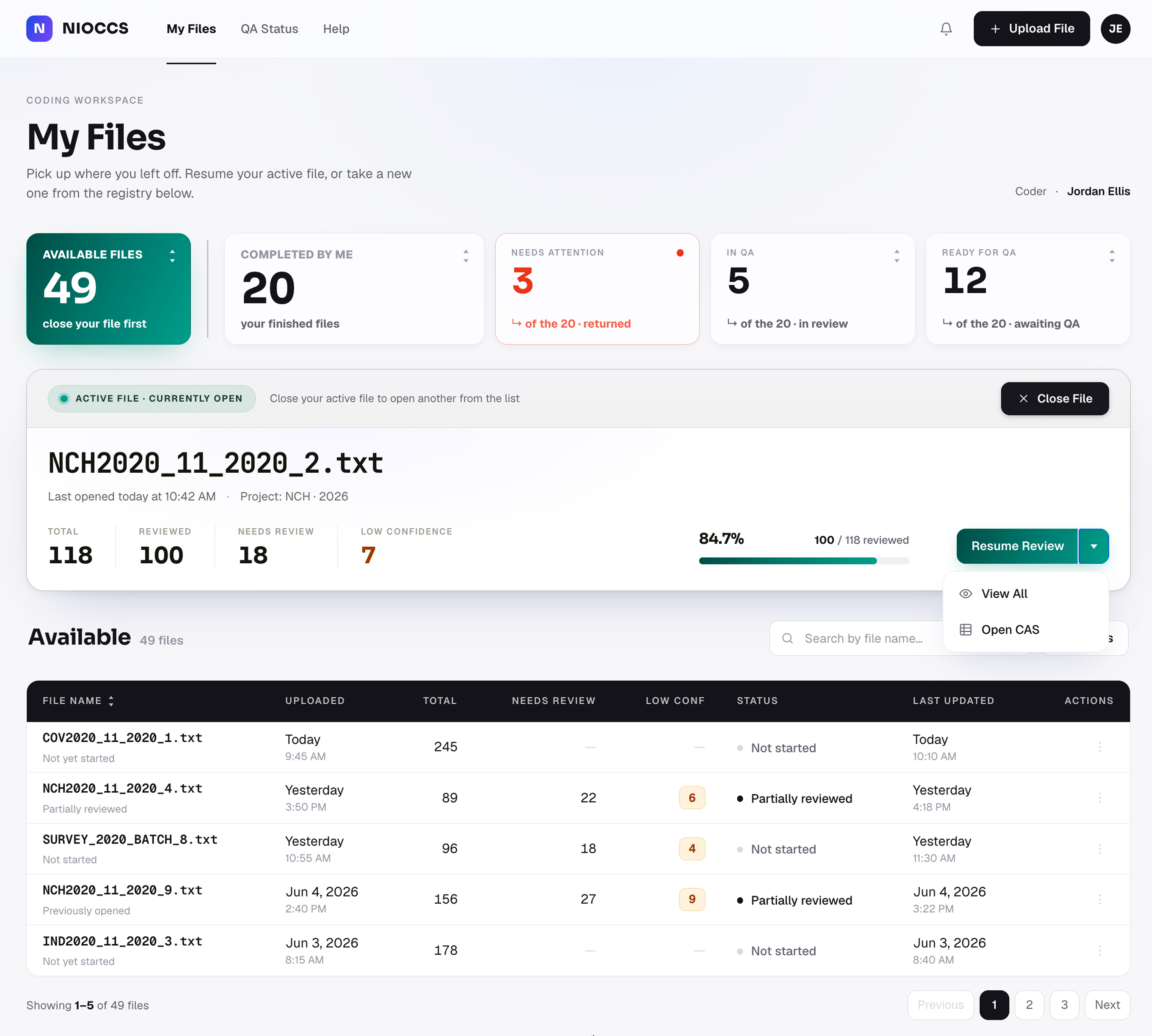
Support faster review through clearer file states, resume actions, and
bulk editing.
Phase 2
Decide Under Uncertainty
Surface Uncertainty
Show where records are conflicted, low-confidence, or repeatedly
changed.
Separate Overview from Execution
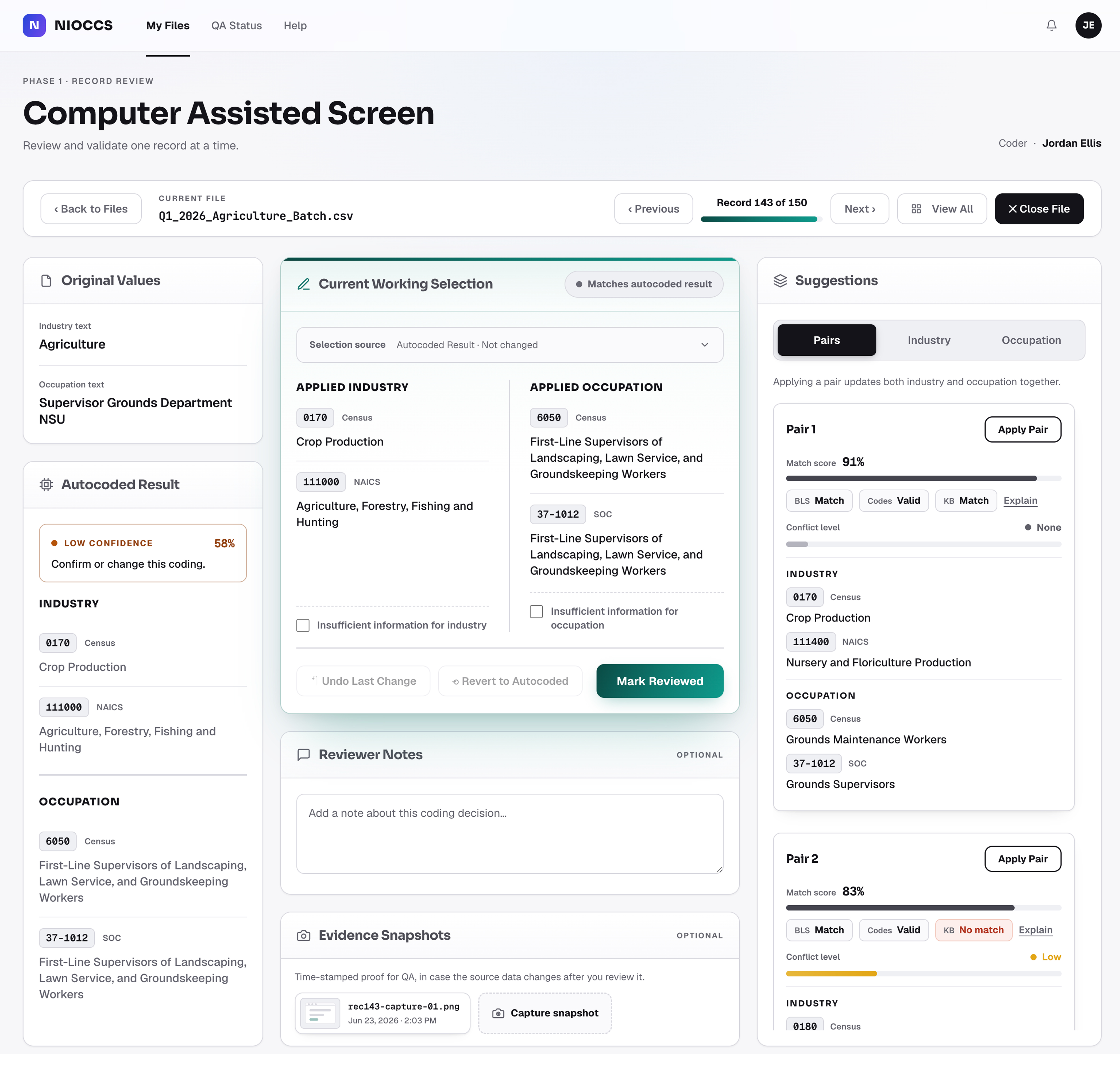
Use View All for prioritization and CAS for focused record-level
decisions.
Create a Learning Loop
Use expert corrections to explain patterns and improve future
decisions.
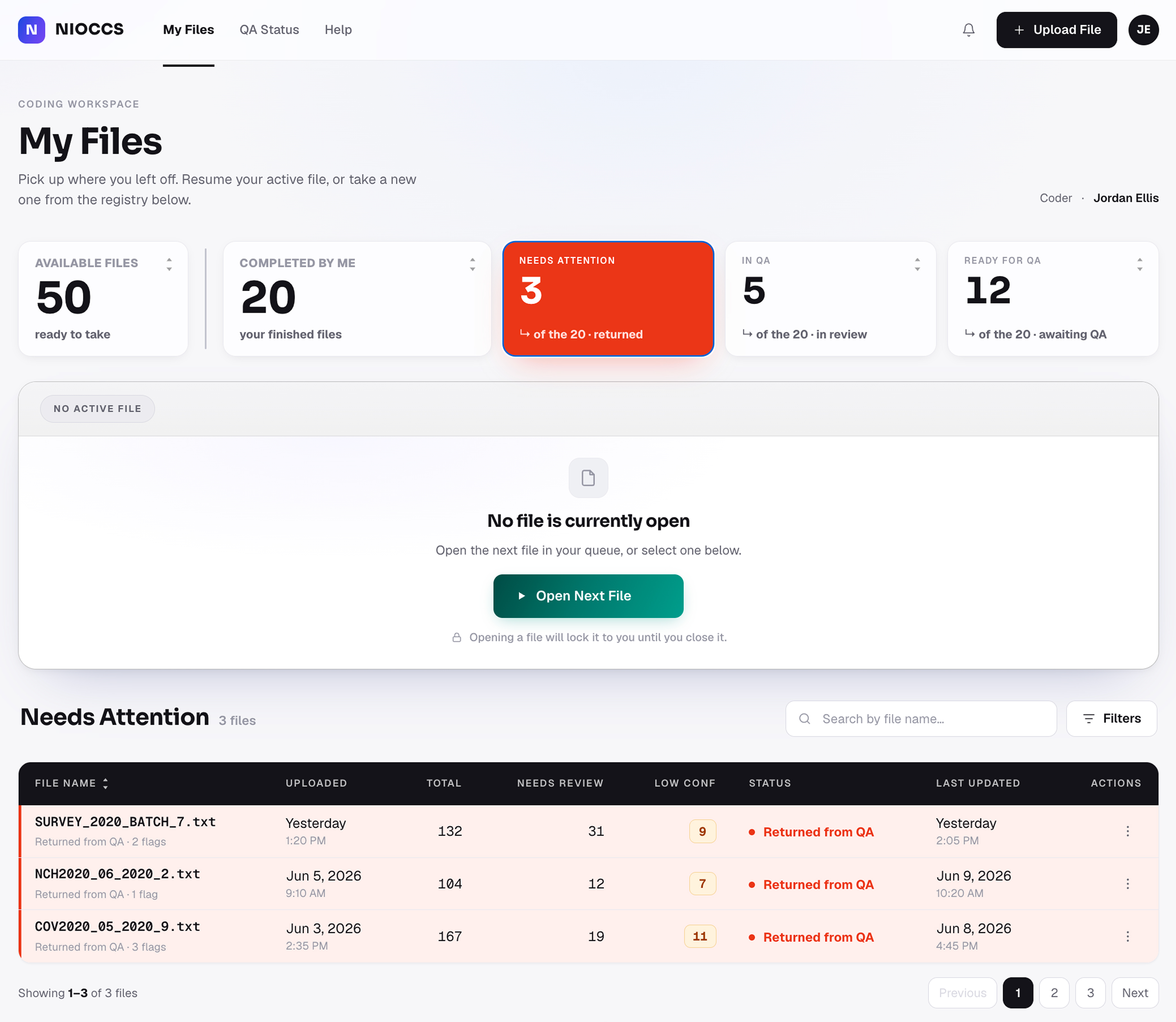
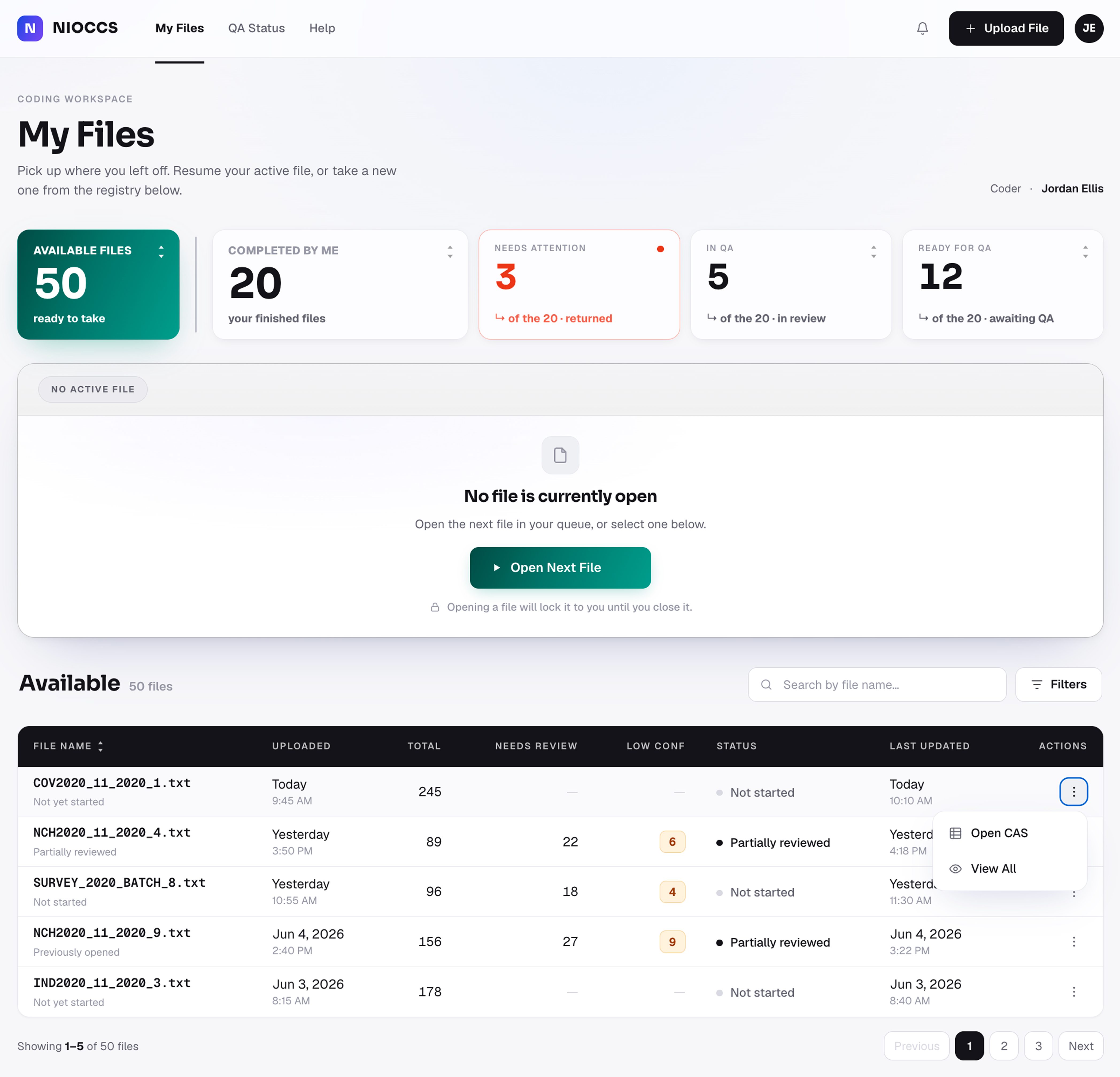
Two-level preview of key improvements. Phase 1: upload status, error recovery, dashboard resume, bulk
editing. Phase 2: uncertainty signals, View All overview, CAS execution, learning loop.
Prototype Preview
The Redesigned Workflow
Before breaking down the research and design decisions, here is the redesigned workflow at a glance: a more
visible, recoverable, and decision-aware system for reviewing coded records.
Placeholder
Prototype preview placeholder — interactive demo or short walkthrough video
A glanceable view of the redesigned record-review workflow.
This preview shows the direction of the redesign: clearer system status, safer correction, better workflow
continuity, and a stronger foundation for decision support.
Understanding the Users
What Shaped the Design
I interviewed coders and QA reviewers to understand how they reviewed records, handled uncertainty, reported
problems, and discussed recurring issues with management. Across interviews, I focused on understanding of their daily review flow:
Research Focus
Daily review workflow
Trust and frustration points
Conflicting or unclear results
Error reporting and escalation
Feedback loops after issues surfaced
How experience shaped behavior
Navigating across screens
Workarounds and external tools
Who I Designed For
Research showed NIOCCS served multiple user groups through one undifferentiated experience. Needs varied across
roles - and within coding, across experience - but the system offered the same path to everyone.
Beginner Coder
A newer coder needs the system to explain what matters, what to trust, and how to move forward safely.
Needs
Know what to review first
Understand why signals matter
Correct mistakes safely
Challenges
Too much complexity too soon
Unclear cues and priorities
Fear of choosing wrong
Advanced Coder
An advanced coder needs speed and control, but still depends on reliable signals to maintain confidence
and momentum.
Needs
Review records quickly
Trust system suggestions
Track progress and repeats
Challenges
Conflicting signals
Slow, momentum-breaking steps
Extra verification outside the system
QA Reviewer
A QA or Admin needs to verify coder work efficiently, maintain consistency, and identify recurring
issues before they affect more records.
Needs
Review coder work efficiently
Maintain coding consistency
Catch recurring issues early
Challenges
Problems surface too late
Repeated issues are hard to find
Errors repeat before being noticed
User Research and Insights
User interviews and workflow analysis showed that the problem was deeper than interface clutter. Users were
compensating for missing product logic with memory, personal judgment, and
workarounds. Across that research, the recurring themes kept surfacing:
Workflows Were Personal, Not Shared
Users built their own review routines because the system never provided
one.
Experience Changed Behavior
Experienced users leaned on memory; newer users trusted unexplained
output.
Screens Had Unclear Roles
CAS and View All served different purposes, but the product never unified
them.
Trust in the System Was Inconsistent
Users worked around the system because its signals weren't clear or
prioritized.
Guiding Principles
In response to the research findings, stakeholder input, and project constraints, the following principles
guided the redesign.