THE STORY
Agent Overview
Many consultants, agencies, and service providers track their work throughout the month but still spend hours assembling client reports.
I wanted to explore whether AI could automate that process by reading directly from the Notion database where
the work is already being tracked and generating a professional monthly report. The workflow was designed to
scale across multiple clients, reducing the effort required to create reports one at a time. Rather than
sending reports automatically, it produces drafts for review first, keeping human judgment in the loop.
What it does
- Retrieves activity data from Notion
- Filters completed work for a reporting period
- Groups related activities into report sections
- Summarizes accomplishments and progress
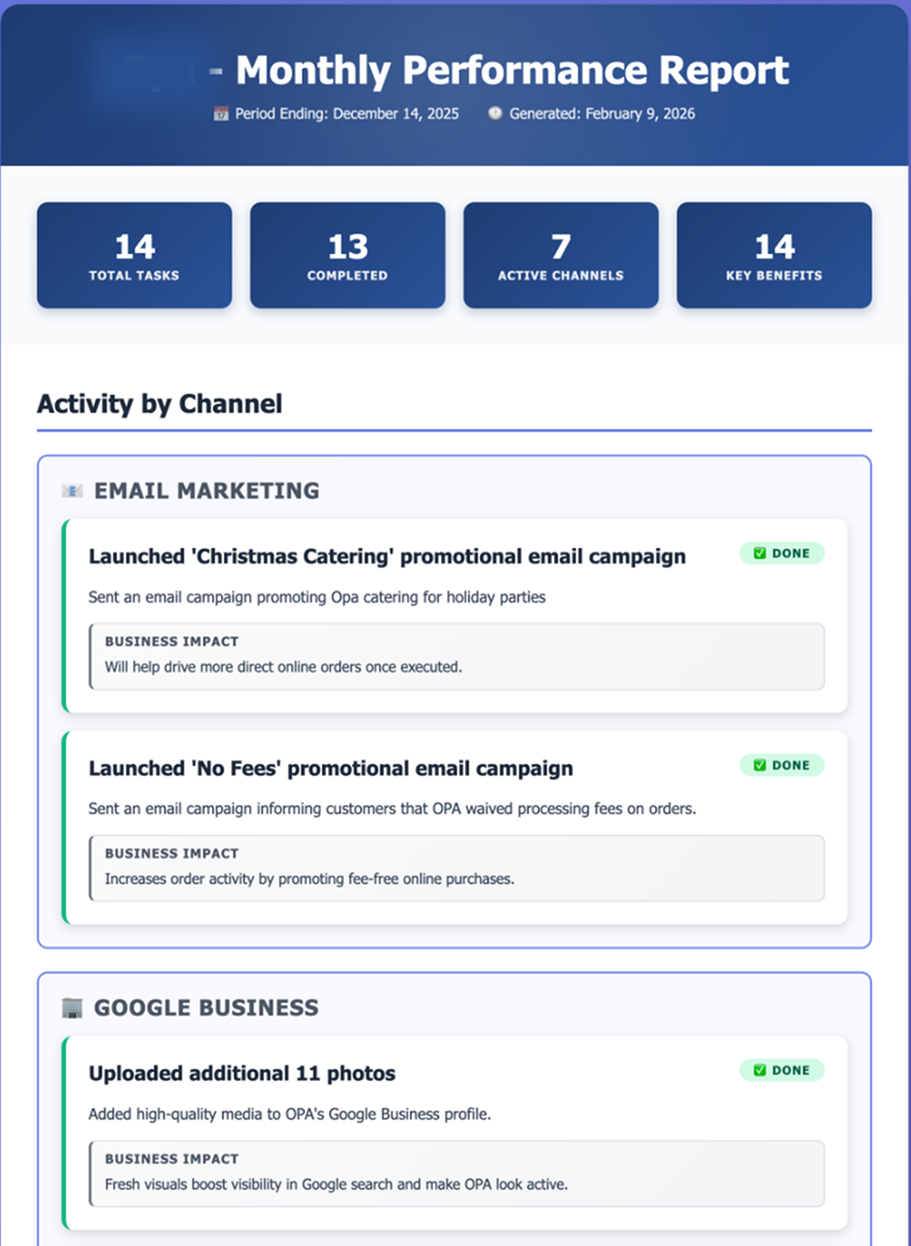
- Generates a client-ready report draft
Clients don’t need activity logs.
They need meaningful summaries.
WATCH
Video Walkthrough
THE PAYOFF
What You Get
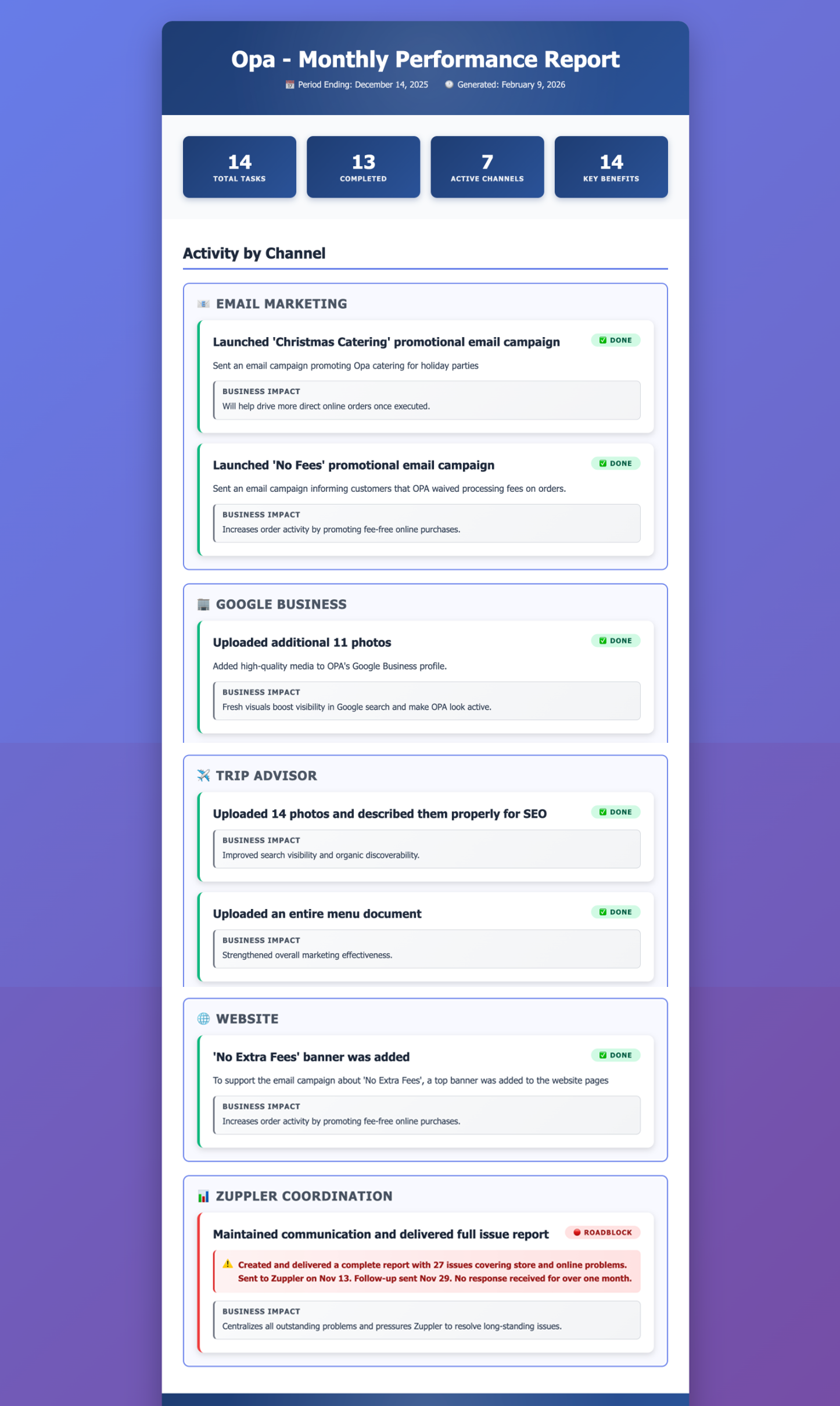
Instead of manually compiling activities from across the month, you receive a client-ready report draft generated from work already recorded in Notion.
- A summary of completed work during the reporting period
- Activities organized by category or service area
- Key accomplishments and progress highlights
- A consistent reporting format across clients
- A draft report ready for review before delivery
As client counts grow, the same workflow can generate reports across multiple accounts without requiring the same manual effort each month.
INSIDE THE BUILD
The MindStudio Workflow
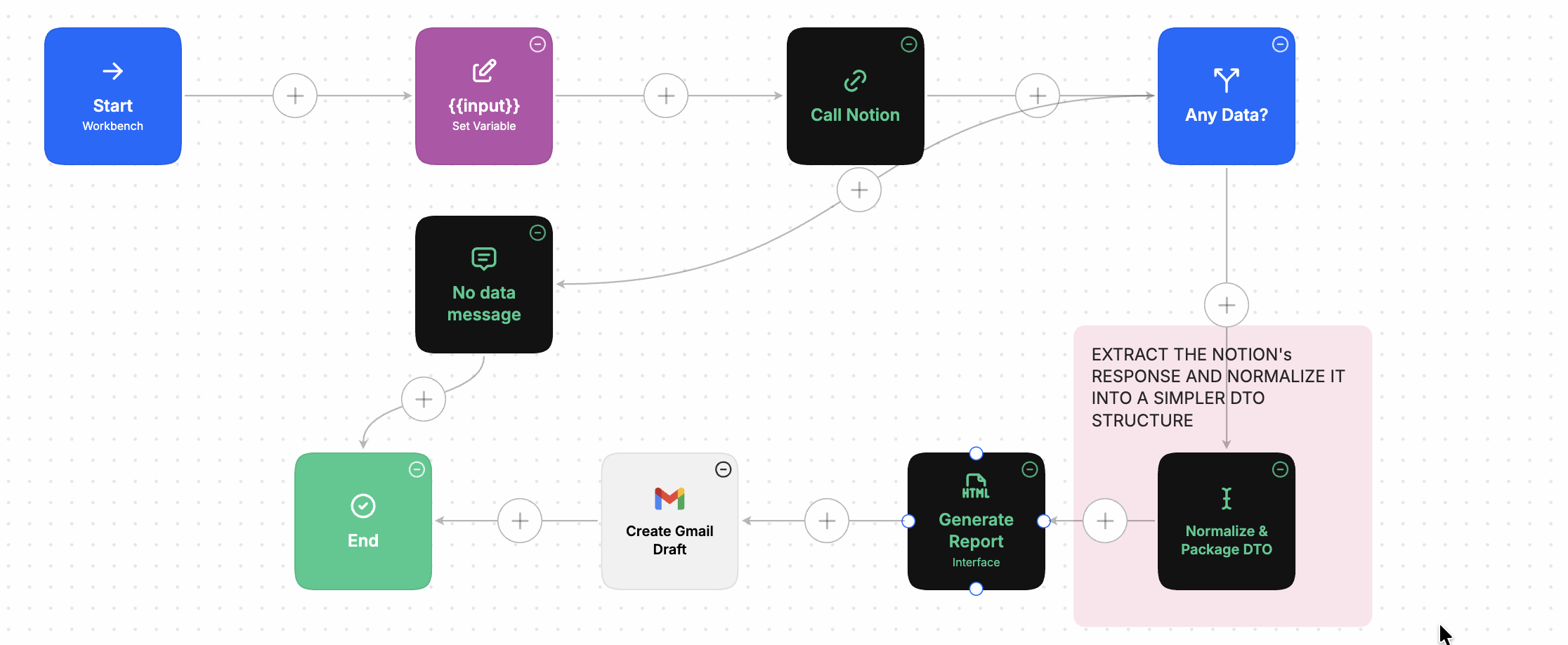
This report generator is built in MindStudio as a child agent - one piece of a larger system where a central orchestrator calls it once per client. Here it’s running on its own test workbench, so the logic can be validated in isolation before the orchestrator drives it.
Design decisions
The challenge wasn’t generating the report - it was turning operational task data into something meaningful for the client.
Activities are often recorded as individual tasks, while clients want to see progress and accomplishments. To bridge that gap, the workflow groups related activities into report sections before generating the final summary. Notion provides the source data, while MindStudio generates the report.
Technologies & integrations
- MindStudio
- Notion
See it in action
Want a live demo?
If you’d like to see this agent in action, I’d be happy to walk you through a live demo and how it works end to end. Reach out and let’s talk.